The Ubuntu paltform is like a make your own meal buffet at a restaurant. You can choose what software you will run in order to unleash its true power. The control over your own system is a lot more and you quite literally have the power. Here are some apps that will make your Ubuntu experience a rather enjoyable one.
The Firefox web browser by Mozilla is one of the open source world’s most prized possessions. The non-profit organisation (Mozilla) has developed a fast, easy-to-use browser, which is the chosen one for development purposes.
Parcellite is a lightweight GTK+ clipboard manager. It is a stripped down, basic-features-only clipboard manager with a small memory footprint for those who like simplicity.
This is arguably the best syncing app that is available today. It’s graphical user interface makes it extremely easy to use and you can transfer files without having to constantly sync them with the cloud.
GNOME’s System Monitor presents a graphical user interface solution for the Top utility in Linux. In addition, it provides a solution for many of Top’s limitations and provides a real-time perspective of the user’s CPU through graphs. It is also easy-to-use.
PulseAudio Volume Control (pavucontrol) is a simple GTK based volume control tool (“mixer”) for the PulseAudio sound server. In contrast to classic mixer tools this one allows you to control both the volume of hardware devices and of each playback stream separately.
You can use Skype for Linux as long as you have version 4.2 of Linux and a webcam. The features it offers are,
– Free Skype to Skype calls.
– Low cost calls and text messages to mobiles and landlines.
– Video call your contacts.
– Free instant messages to your friends, family and colleagues.
Kdenlive is an intuitive and powerful multi-track video editor, including most recent video technologies. The software is completely free, as defined by the GNU foundation.
OpenShot Video Editor is a free, open-source video editor for Linux licensed under the GPL version 3.0. It’s features include trimming and arranging videos, adjusting audio levels, transitions between videos, compositing multiple layers of video, chroma-key/green screen effect, and support for most formats and codecs.
SpiderOak makes it possible for you to privately store, sync, share & access your data from everywhere. It provides the ability to utilise cloud technologies while retaining that precious right we call privacy. It has a ‘zero-knowledge’ privacy environment ensures that only you can see your data.
One of the best known and most trusted cloud storage and sharing options that are available today, Dropbox has a huge user base and is used all over the world.
Writer has all the features you need from a modern, full-featured word processing and desktop publishing tool. It’s simple enough for a quick memo, but powerful enough to create complete books with contents, diagrams, indexes, and more. You’re free to concentrate on your message, while Writer will make it look great.
SimpleScreenRecorder is a Linux program that was created to record programs and games. Its features include,
– Graphical user interface (Qt-based).
– Faster than VLC and ffmpeg/avconv.
– Records the entire screen or part of it, or records OpenGL applications directly (similar to Fraps on Windows).
– Synchronises audio and video properly (a common issue with VLC and ffmpeg/avconv).
– Reduces the video frame rate if your computer is too slow (rather than using up all your RAM like VLC does).
– Fully multithreaded: small delays in any of the components will never block the other components, resulting is smoother video and better performance on computers with multiple processors.
– Pause and resume recording at any time (either by clicking a button or by pressing a hotkey).
– Shows statistics during recording (file size, bit rate, total recording time, actual frame rate)
– Can show a preview during recording, so you don’t waste time recording something only to figure out afterwards that some setting was wrong.
– Uses libav/ffmpeg libraries for encoding, so it supports many different codecs and file formats (adding more is trivial).
– Can also do live streaming (experimental).
– Sensible default settings: no need to change anything if you don’t want to.
– Tooltips for almost everything: no need to read the documentation to find out what something does.
If you look at the OS market, the name following Windows as Linux is the Ubuntu OS. While Windows rules the roost, Ubuntu has over the years, gone on to become the third most used OS in the world. With a tagline that says, “Linux for humans,” Ubuntu is easy to use, powerful and an apt replacement for Windows. So, naturally, developers got together and built on top of this OS, bringing new distros. It is worth taking a look at these.
The purpose of Linux Mint is to produce a modern, elegant and comfortable operating system which is both powerful and easy to use. Started in 2006, Linux Mint is now the 4th most widely used home operating system behind Microsoft Windows, Apple Mac OS and Canonical’s Ubuntu.
This is an open source alternative to Windows and MS Office. Kubuntu is an operating system built by a worldwide team of expert developers. It contains all the applications you need: a web browser, an office suite, media apps, an instant messaging client and many more.
Edubuntu is a grassroots movement that aims to get Ubuntu into schools, homes and communities and make it easy for users to install and maintain their systems. It is built by a team of hacker, students, teachers etc.
Xubuntu is an easy-to-use operating system. It comes with Xfce, which is a stable, light and configurable desktop environment. It is perfect for those who want the most out of their desktops, laptops and netbooks with a modern look and enough features for efficient, daily usage. Moreover, it works on older hardware as well.
Gobuntu 8.04.1 is the final release of Gobuntu. The project has merged back to mainline Ubuntu, so there is no need for a separate distribution. It tries to provide the Free Software Foundation’s four freedoms and tries to lay a platform for other free software.
Ubuntu Studio is a free and open source operative system, and an official flavor of Ubuntu. Ubuntu Studio is the most widely used multimedia orientated GNU/Linux distribution in the world. It comes preinstalled with a selection of the most common free multimedia applications available, and is configured for best performance for the Ubuntu Studio defined workflows: Audio, Graphics, Video, Photography and Publishing.
Mythbuntu is an official Ubuntu flavor focused upon setting up a standalone MythTV based PVR system. It can be used to prepare a standalone system or for integration with an existing MythTV network. Unlike similar projects, Mythbuntu keeps close ties with Ubuntu and all development is given back to Ubuntu. This architecture allows simple conversions from a standard desktop to a Mythbuntu machine and vice versa. The development cycle of Mythbuntu mirrors that of Ubuntu.
The Ubuntu Server Edition is a platform for scale-out computing. It helps you make the most of your infrastructure. Whether you want to deploy an OpenStack cloud, a Hadoop cluster or a 50,000-node render farm.
Now known as the Aurora project, this Ubuntu flavour started life originally in 2008 as the Eeebuntu project. This was a customised redistribution of Ubuntu, which was modified specifically for the Eeepc range of netbooks. What was originally a simple collection of scripts and hacks to get Ubuntu 8.04 onto an EeePC it has grown into a distribution of its own.
Ubuntu Mini Remix is a fully working Ubuntu live-CD containing only the minimal set of software to make the system work. Ubuntu Mini Remix ISO image is around 200MB.
Everyone knows Facebook, but not everyone knows Facebook very well. You could spend your days on the world’s biggest social network liking and sharing, or you could learn a few tricks that will bring you closer to being a power user.
These 13 Facebook tricks will help you take charge of your Facebook activity. Use them wisely! If you have Facebook secrets of your own to share – do tell and leave us a comment!
1. Create & Manage Friends’ Lists
Organize your friends in lists and control who can view what’s on your profile. Go to Facebook Lists Page and see the default lists prepared for you. Click on “Create List” to make your own.
2. Schedule Posts
Want to make sure your posts go live even when you’re offline? Use Facebook’s scheduling tool and set a publishing time for your posts. Click on the clock icon in the status line field and take it from there.
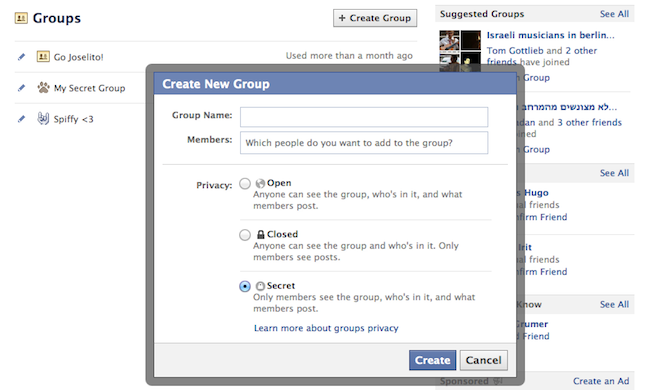
3. Create a Secret Group
Make your own private space on Facebook and invite only people that you want! Go to Facebook Groups Page and click “Create Group”, then choose the “Secret” option.
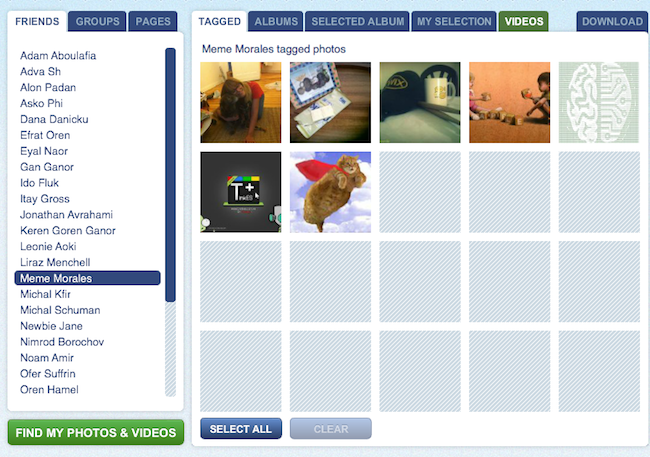
4. Download Entire Photo Albums
Want to make sure your Facebook photos are safe? Save them to your computer! Use Pick’n’Zip to log in with your Facebook account and choose the albums you’d like to download.
5. Choose Who Can See You on Facebook’s Online Chat
No need to apologize. We all have some people on our files that we don’t always feel like talking to. All you have to do is the click the ‘Settings’ icon at the bottom of the chat section, go to “Advanced Settings” and make your choice.
6. Post Upside-Down Texts
Drive your pals a little nuts with FlipText, a fun Facebook trick that automatically turns everything you write upside down. Just a simple copy/paste and your post is flipping.
7. Language/Geo-Target Fan Page Posts
Did you know you can make your posts visible only to people in your city? Or only to people in a certain country who speak a certain language? When you write a post, change the “Public” status according to your wishes and target your specific group of interest.
8. Edit Your Published Comments
Typos? Misunderstandings? Freudian slips? Thankfully, Facebook lets users edit their comments quite easily. All you need to do is roll over the comment, click on the pencil icon and edit away!
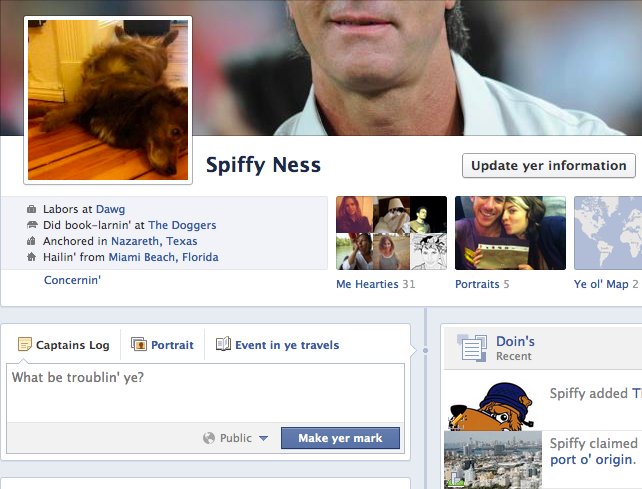
9. Have Some Laughs with Pirate English
Normal languages aren’t nearly as fun as pirate talk! You can change the entire Facebook terminology to pirate English by going to your Account Settings and changing the language choice. Forget about Likes, they’re called “Arrr, This be pleasin’ to me eye” now.
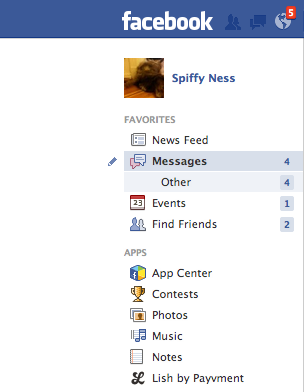
10. Discover Messages that Facebook Hides
Not many people know that Facebook messages get split into two folders: Messages and Other. If you haven’t looked into the Other folder before, you probably missed some messages you didn’t want to miss.
11. Turning Off Notifications from Apps, Users, Etc.
Have too much spam coming in from an event, a group or a page? You can shut notifications off by clicking on the notifications icon (the globe), rolling over the nuisance with your mouse and clicking X to delete. Faceboook will then ask you if you want to turn off notifications from that user permanently.
12. Customize Your “Posted Via” Line
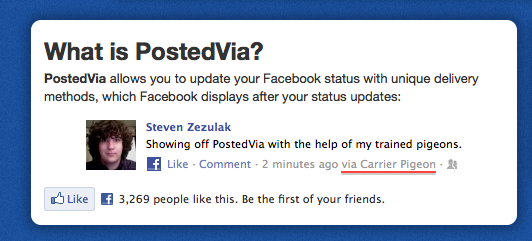
Another fun trick you can do to spice up your Facebook posts is to add a customized “Posted Via” line with this awesome Facebook tool. You can publish your posts from Air Force One, from a banana phone or via Jedi mind control, to name just a few.
13. Delete Your Facebook Account
If the day comes when you decide to leave the blue planet and go out into the real world, this link will be the red pill that takes you there. Hope you enjoyed the ride.
red pill vs blue pill
Speeding up your website and content delivery should be near the top of your to-do list, with speed being a factor in ranking. A CDN (content delivery network) could help, as it will drastically reduce server lag by storing static resources on a network of fast-loading servers spread all over the world.
Choosing a CDN to fit your specific requirements is key, so it’s important to assess your budget, bandwidth needs, audience (where are the majority of your visitors based), streaming capabilities and technical support offered.
With so many options available it can be difficult to choose one, so we’ve collected 13 of the best CDN providers available, that can dramatically decrease bandwidth consumption and speed up content delivery.
1. MaxCDN
MaxCDN is a global network with SSD-loaded servers optimized for speed and the ability to create custom rules so you can determine how your CDN will run. MaxCDN’s servers are located worldwide, reaching over 90 countries, with a high peer capacity to handle any given load. You can lock down your content with secure token options, and use the REST API to integrate users, zones and other resources into your applications. There are plugins available for all major systems and platforms, including WordPress, Drupal, Magento and lots more. Using the control panel, you have complete control over your domain in real-time, with built-in SSL for security. The intelligent best-path routing constantly adjusts to sustain site speed and performance.
Pricing: Free trial and package prices available upon request
2. CloudFlare
CloudFlare protects and accelerates your website, and once it’s part of the CloudFlare community, your web traffic is routed through its global network. CloudFlare automatically optimizes the delivery of your webpages to achieve the fastest load times and best performance possible. Threats, abusive bots and crawlers are blocked from wasting your bandwidth and server resources. It’s simple to set up, and only requires a change to your DNS settings, with no hardware or software to install or maintain. CloudFlare provides analytics to give insight into all of your website’s traffic including threats and search engine crawlers. The suite of apps means you can extend the capabilities of CloudFlare on your website.
Pricing: Free to $200 per month
3. Incapsula
Incapsula is an application-aware CDN that boosts website performance by using advanced networking, dynamic caching and content optimization techniques. It secures your website against DDos attacks, and provides load balancing and failover directly from the cloud, with real-time health and monitoring notifications. It works by routing all traffic to your website or web applications and profiles it to block threats. Outgoing traffic is then accelerated and optimized, providing on average 50% faster performance and consuming 60% less bandwidth. Incapsula only takes a few minutes to set up and activate on your website, with no hardware or software to install, and you can keep your current hosting provider. It can also be turned off and on as necessary.
Pricing: Free to $299 per month
4. Edgecast
Edgecast is a distributed global network of servers built for speed, security and scalability. It handles traffic spikes, secures websites and helps accelerate the performance of web applications. You can serve both dynamic and static content from an optimal CDN location, to deliver the fastest possible speed. The analytics suite gives you constant updates on server performance, user demographics and bandwidth utilization. The network was built to deliver rich media quickly with live, on-demand streaming capabilities in Flash, Silverlight or HTTP.
Pricing: Available upon request
5. Cachefly
CacheFly CDN delivers the static objects on your website (audio, video, files, CSS) up to 10 times faster, with over 30 points of presence strategically spread worldwide near the Internet’s major peering points. These locations enable content providers to place their content closer to their audience or end users, resulting in faster, more efficient and reliable delivery of rich media content. The on-demand bandwidth prevents performance degradation or timeouts during traffic spikes. The robust platform provides full access to your files, with a simple interface for modifying files without using complicated API’s. Token-based authentication requires users to verify their identity, ensuring your website is securely protected.
Pricing: $99 per month to $409 per month
6. Amazon CloudFront
Amazon CloudFront is a CDN that integrates with other Amazon web services to provide an easy way to distribute content to end users with low latency, high data transfer speeds and no commitments. You can use your own domain name and your own SSL certificate to deliver content over HTTPS, as well as track trends in data transfers and requests. With geo restriction, you can restrict content delivery to any country. CloudFront features custom error responses, dynamic content support, live media streaming and a management console that lets you manage your CloudFront without writing any code. You can view the access logs to learn how, when, where and to whom your content is being delivered.
Pricing: Based on usage
7. Swarmify
Swarmify reduces a website’s bandwidth, loads assets efficiently and can be used with any CDN or hosting solution. It provides unlimited points of presence and hyper-local connectivity.The unique Hive Cache means the first user that arrives on a site and detects asset replacement will immediately signal the rest of the swarm to expire the previous file, making cache expiration happen virtually instantaneously. Predictive loading detects which images are most popular on your site and pre-loads them for your end users in the background. Security is important, which is why all communication between peers is encrypted. Swarmify is hosted on the Amazon EC2 platform for optimal uptime and load speed.
Pricing: Free – $99 per month
8. Google App Engine
Google App Engine lets you build and run applications on Google’s infrastructure, which is easy to maintain and scale as your traffic and data storage needs change. There are no servers to maintain as you simply upload your application and get started. Google App Engine features automatic scaling and load balancing, with persistent storage, sorting and transactions and asynchronous task queues for performing work outside the scope of a request. Your applications run in a secure environment and run reliably even with large amounts of data. Features include asynchronous task queues, automatic scaling, persistent storage, scheduled tasks and integration with other Google cloud services and APIs.
Pricing: Based on units used and quota limits
9. jsDelivr
jsDelivr is a free, open-source CDN where anyone can submit a project to host and deliver their files, including CSS, fonts, JavaScript, jQuery and more. jsDelivr is unique in that it combines the power of both MaxCDN and CloudFlare, who sponsor jsDelivr. All traffic is load balanced based on availability and performance for each individual user through Cedexis. The system gives the best possible uptime and since jsDelivr uses two CDN providers, if any of them goes down, all traffic is automatically switched to the operational CDN. All files are hosted on a push zone on NetDNA servers, and you can only access them by using whitelisted IP addresses. There are over 42 POP locations worldwide with DDOS protection, failover systems, unlimited traffic and HTTPS access.
Pricing: Free
10. CDN77
CDN77 is a content delivery network with 25 data centers available on five continents. With no DNS changes or manual configurations necessary, everything is automatic, whether you have a custom or CMS-based website. The control panel is user-friendly and intuitive and lets you manage and control everything even on the go. You can quickly modify your CDN configurations, monitor your traffic and bandwidth usage and view the status of your served files and content. The powerful API allows you to connect to your apps, view and store logs, manage your CDN and track your analytics and data. With real-time security and protection, you can share your content privately, protect files from external threats and encrypt data.
Pricing: $35 per month to $49
11. Akamai
Akamai goes beyond traditional CDN services to deliver improved website performance, with on-demand global capacity to meet peak traffic. It boasts the most pervasive, highly-distributed cloud optimization platform with over 150,00 servers in 92 countries within over 1,200 networks. With Akamai you can reduce the cost of expensive application and database infrastructure by offloading more processing to the cloud. You can secure online transactions through SSL-content protection. It delivers between 15 to 30% of all web traffic, more than two trillion interactions daily, and is trusted by companies such as Adobe, NBC and Nintendo. The Akamai intelligent platform monitors web conditions to identify, absorb and block security threats, provide instant detection and optimization and provide technical insights.
Pricing: Available upon request
12. CDNetworks
CDNetworks is a multinational CDN with infrastructure in China, Russia, Asia and other emerging markets, with cloud-based DNS and storage and global load balancing to ensure fast, reliable delivery of web content. With more than 140 points of presence in 91 cities it maximizes scalability and performance. Features include Cloud DNS, Cloud Load Balancer and Cloud Storage, with real-time intelligence. The dynamic web acceleration service provides on-demand application performance enhancement to quickly and reliably deliver applications and dynamic content from cloud or centralized infrastructure to your users around the world. Application response time is accelerated, which means no delays, as site content appears instantly.
Pricing: Available upon request
13. Limelight
Limelight Orchestrate Content Delivery is one of the world’s largest private CDNs and optimizes delivery for multiple HTTP and streaming protocols, while security services like geo-blocking, DRM and tokenized authentication protect your content. You can easily customize configurations through an online control portal and reduce latency and processing overload, as well as set logical rules to control where, when and how your content is delivered. Limelight detects the conditions of your end users’ environment, from browser to bandwidth, and adjusts the content delivery on the fly for optimum performance. The analytics features give you access to valuable insights on objects, bandwidth, storage and more.
Technology and innovation can be frustrating to watch in action. That’s because there usually isn’t much action — just incremental change with occasional flashes of brilliance.
But the only way to truly understand what’s happening and why is to keep watching. Breakthroughs from years ago are finally leading to real products and services today. Others are inching forward with the promise of big changes in 2015 and beyond.
Of course, you have to know where to look. These are the tech trends that will matter in 2015.
1. Big Data gets to work
I suspect by now you’re getting tired about hearing about Big Data, but ignoring this number-crunching wave would be a mistake. First of all, we’re generating and gathering data at an insane pace. In 2010 Google Executive Chairman Eric Schmidt said the world generates 5 exabytes of data every two days. It’s likely double that number by now.
We’re not just generating data; we’re capturing it at an unprecedented rate, first through web sites and now more frequently through mobile apps and sensors we’ll wear with increasing regularity in 2015.
Next year, companies such as Intel and IBM will turn all that data into powerful decision-making tools
Next year, companies such as Intel and IBM will turn all that data into powerful decision-making tools. IBM in particular will further expand the supercomputer Watson’s reach and introduce cognitive computing for every industry that has data to share. If you thought cognitive cooking was cool, wait until you see what IBM can do with Twitter’s data and what Watson can do for cancer.
As for Intel, the company is working on building the hardware and platforms necessary for companies to bring Big Data processing. Instead of making decisions based on a broad understanding of market trends and customer interests (and intuition), companies will, in 2015, increasingly rely on hard numbers to propel new products and services.
2. Artificial intelligence
All that data is leading to a revolution in artificial intelligence. Microsoft, for example, is using machine learning to analyze speech and conversation so its new Skype Translator can not only perform real-time, bidirectional translation, but can even mimic the tone of speech so it makes sense in another language. However, that kind of AI is more a product of brute-force computing, and doesn’t exactly mimic how real, or perhaps human intelligence works.
This year we saw a computer program named Eugene Groostman “beat” the Turing test. That means we now have programming capable of fooling people into thinking they’re talking to another person. The future is not about fooling anyone, though — it’s about building human-like thought in silicon.
Software and hardware that can learn and think as we do is on the horizon. In 2015, pay close attention to the work of Google’s Demis Hassabis. He’s trying to “solve intelligence,” and his company, DeepMind, is working on recreating — or at least mimicking — how human neurons work in silicon and code.
Depending on how far he gets, we could see some interesting changes in Google services and, later, software and robots that make new connections based on learning.
3. Robots with us
I wish I could tell you our robot overlords will finally arrive in 2015, but C-3PO-style humanoid robots are still decades away. That’s not to say we won’t see some pretty impressive stuff in the intervening years. Next year, robots will move next to us on the assembly line and go off road and up hills.
Most of the experts I’ve talked to point to robot innovations such as Rethink Robot’s Baxter and Universal Robots. Both stand out because they can work in close proximity to humans without harming them.
“In 2015, we’ll see this have more of an impact on manufacturing,” said Professor Julie A. Shah, who leads the Interactive Robotics Group at MIT’s Computer Science and Artificial Intelligence Laboratory. She noted this growing confidence in robots on the factory floor will lead to them working in concert with humans. Right now, most factory robots work in highly-controlled environments, with humans a safe distance away.
Amazon is actually on the leading edge of this change with a combination of the fenced-off Robo-Stow robot arms, which pick things off shelves, and mobile Kiva robots that move things about the factory floor and even deliver them to workers who pick them off the robot’s mobile shelves.
factories will continue to look at how smarter, safer robots can assist in commercial appliance and auto manufacturing. “It’s still done more by people today, so a real challenge for robotics,” she said.
Outside the factory, personal robots like Jibo and Pepper may finally make it into consumer homes in 2015, but their long-term future remains unclear.
Like most years, 2015 will be filled with smaller robot breakthroughs that focus on two critical areas: manipulation and locomotion. Companies like iRobot and researchers at DARPA and MIT are increasingly focusing on teaching robots how to move and work as well as humans.
“In 2015, we’re going to see a lot more robots moving around,” said MIT Professor Sangbae Kim. He should know, his free-running Cheetah robot recently caused a sensation.
Kim, though, thinks people may have missed the point of his robot. It was not about going fast (which it did not). “What’s really distinguishing our robot compared to driverless car [is] we can go everywhere a human can go. Cars can only go where the roads are,” he said.
Kim told me he also expects to see a lot more breakthroughs in robots’ manipulation capabilities.
4. Nanotech and material sciences
2014 saw numerous nanotechnology breakthroughs like nano cages that could deliver cancer-killing medicine at a molecular-level, and metamaterials that can deform to hide objects from human touch.
When I spoke to Biomedical Engineering Post Doctoral Associate Sissel Juul, Ph.D., earlier this year about her work on DNA Nanobots, she told me, “We will see commercial targeted non-viral drug delivery soon.”
Of course, that “soon” is predicated on the speed of clinical trials and FDA approvals. Even so, expect more DNA-level eureka moments and, just maybe, some real-world applications in 2015.
Nano technology is also propelling material sciences, everything from waterproofing phones to smarter fabrics. It could also mean some new materials in 2015. Next year, there will even be a conference in Korea devoted to smart materials. Expect a few interesting announcements to come out of that.
5. Batteries and no more wires
For most consumer electronics manufacturers, the way to deal with the limits of lithium-ion battery technology — which is in use in virtually all pocketable gadgets — is to build bigger batteries. Sure Intel, Qualcomm, Nvidia, AMD and Texas Instruments are building ever-more-efficient mobile CPUs, but nothing seems to change how much power we can store and draw from these batteries.
New chemical science could lead to breakthroughs in 2015. Earlier this year, the National Institute of Standards and Technology reported that its scientists are developing batteries based on a sodium-based, complex metal hydride. It could lead to cheaper, more stable and more powerful mobile battery power. Applied Materials is working on advancing solid-state battery technology, which can hold more power than traditional lithium ion, with a much more affordable manufacturing methodology.
It’s unlikely we’ll see actual products using new battery technology (look at how fuel cells have sputtered), but mobile power packs based on new battery science are a distinct possibility.
While we wait for better batteries to come along, wireless charging is sure to come of age in 2015. There are both conductive and inductive options available and many of today’s phones already have wireless-charging technology inside. Intel is actually working on wireless charging based on magnetic resonance technology. We just need more wireless charging gadgets, stations and counters, all of which will probably flood the market in 2015.
6. Flexible displays
We’re finally seeing curved screens in products like LG’s curved HDTV and Samsung’s Gear Fit and even a flexible HDTV (it finally went on sale in Korea in August). Thin, flexible displays have, however, remained something of a pipe dream.
There is hope, though, that 2015 could mark the start of the consumer-grade flexible display market. An Intel spokesperson told me the company is working on shrinking components and removing wires through WiDi (wireless display) technologies and Gorilla Glass maker Corning has strong and very flexible glass ready to go.
I’m betting that we see some unique product developments around flexible displays in 2015.
These six areas represent the highlights and potentially heaviest concentration of development in the new year, but there will be others worth watching, like the rapid expansion of biometric password tools, smart home and Internet of things, sensors, and, of course, wearable technology.
Have something to add to this story? Share it in the comments.
A popular torrent file sharing website ‘The Pirate bay‘ which was shut down on December 9 after a raid by Swedish authorities, is making a come back as the domain is now working and showing a waving pirate flag.
After nearly two weeks of downtime ThePirateBay.se domain is showing signs of life. Though, ThePirateBay.se is only showing a waving pirate flag on whole webpage, but that’s good to give many Pirate Bay users hope for a full recovery.
The Webpage is also showing a clock/timer counting the time that’s passed since the raid by Swedish authorities.
Every year, the tech industry brings us unexpected surprises and long-predicted changes, and among those ups and downs are usually a few endings to some of our favorite technology products.
This year was no different, with some of the biggest names in tech shuttering products and services beloved by many, and even a few successful upstarts deciding to call it a career and close up shop.
Perhaps the biggest ending of the year, and maybe even the decade, was Microsoft’s decision to end support for Windows XP. The move effectively left millions of users around the planet wondering whether they should fend for themselves, find an alternative or surrender and begin using Windows 8.1.
Similarly, although slightly less impactful, Google decided to shut down an entire social network when it opted to end the long run of Orkut.
The company’s original social-networking experiment failed to find legs in the U.S. but somehow managed to garner a large following in Brazil. But with Google+ on the menu, the lingering shadow of Orkut was apparently too much of a reminder of past failures to be allowed to live on, and now it’s history.
But those weren’t the only sad tech endings of 2014. We’ve gathered together the year’s most notable closures so you can mourn a bit more efficiently and light a digital flame in homage to some of the most beloved tech products and services that are no longer with us.
iPod Classic
Along with the announcement of the Apple Watch and new iPhones, Apple also quietly retired the iPod Classic. In some ways, the timing of the move was historically appropriate. As the Apple Watch ushers in a new kind of tactile interface with its Digital Crown, reminiscent of the original iPod click wheel and even the iPod Classic’s touchpad wheel, the company’s interface design wheels are, literally, spinning in a new direction.
Now that the iPod touch — which can be difficult to differentiate from an older iPhone — is officially the standard-bearer for Apple’s music player category, we can lament the passing of the form factor that saved Apple from ruin so many years ago.
IMAGE: BLOOMBERG
Facebook Poke App
The word in some Silicon Valley circles is: if Facebook can’t acquire you, it will copy you. That oft-mentioned approach appears obvious if you look at several recent Facebook app launches, most notably Poke. Viewed by some as an attempt to copy Snapchat, Facebook’s ephemeral message, photo and video app seemed promising at first but was ultimately ditched by the social network.
Meanwhile, Snapchat, which reportedly rebuffed a $3 billion offer from Facebook, just landed a new investment that values the company at around $10 billion.
Microsoft’s acquisition of Skype back in 2011 had a number of ripple effects for the company’s users, one of which was the eventual shuttering of Windows Live Messenger, better known as MSN Messenger.
Although the company announced its intentions back in 2012, the old messaging service lingered on in China until 2014, when Microsoft put the final nail in the app’s coffin. For old-school users of MSN Messenger, the end of the app will likely be accompanied by numerous memories of intimate late-night chats and shared moments that, in a weird way, may inspire a bit of nostalgia for the outdated software.
Orkut
Google’s first major social-networking experiment, Orkut, failed to find its footing in the U.S., but it unexpectedly caught on in Brazil. Back in 2010, Orkut was more popular than Facebook in the country, until Mark Zuckerberg’s social networking behemoth added Brazil to its list of conquests in 2011.
Despite Orkut’s success in a big market, Google decided to shut the social network down as it attempted to boost the fortunes of its other social networking play, Google+. However, with the departure of Google+ chief Vic Gundotra, and the service’s numbers still lagging far behind Facebook’s, it could be just a matter of time before Google+ suffers the same fate as Orkut.
Xbox Entertainment Studios
Not long after rumors that Microsoft’s Xbox Entertainment Studios was planning on creating original programming (mirroring recent moves by Netflix and Amazon), Microsoft unceremoniously shut down the unit as part of an overall plan to lay off roughly 18,000 workers. The move struck some as curious considering the cache Xbox and its network enjoys with gamers and the hiring of former CBS president Nancy Tellum back in 2012 to lead the unit’s entertainment efforts.
But with the ascension of newly minted CEO Satya Nadella to the top position, the change in direction for Xbox Entertainment Studios may be just one of many Microsoft changes in the works in the coming year.
Windows XP
Microsoft’s decision to end support for Windows XP may have been met by excitement by early adopters loyal to the brand and looking to trade up to a shiny new interface experience in Windows 8.1, but for many others, the change is still a nonstarter.
In fact, Chinese officials used the change as an opportunity to officially ban Windows 8 in the country as it works to launch its own operating system to compete with the likes of Microsoft, Google’s Android and Apple OS X.
Justin.tv
If you weren’t using Justin.tv, you probably don’t know that the site spawned entire subnetworks of illegal content streams. There were 24-hour Star Trek channels, bootleg History Channel streams and, of course, scores of movie streams showing classic and current movies to dedicated viewerships. The DMCA takedown notices flew fast and furious on Justin.tv, but illegal broadcasters just as quickly posted new streams for their loyal audiences.
But as the site grew, originally born of a gimmicky stunt performed years ago by Justin Kan who wore a camera strapped to his head for months, an offshoot of the site, Twitch, gradually became a favorite with gamers and generally became more popular than its parent site. When Twitch was acquired by Amazon a few months after Justin.tv announced an end to the main site, the brief furor over all those lost video archives on Justin.tv seemed to be ancient history.
Macworld Magazine
Macworld, that venerable print publication that has covered all things Apple for decades, finally reached the end of its run in September. Although the publisher of the magazine, IDG, will keep the website alive, the print edition will disappear, along with a large number of editorial staff.
Macworld editorial director Jason Snell, a 17-year veteran with the publication, and a high-profile voice on various tech podcasts, will also leave the company. The news was particularly galling forMacworld fans as it came just after the September 9 Apple event that introduced the iPhone 6, iPhone 6 Plus and the Apple Watch.
Nokia X
Along with a new CEO in Satya Nadella have come a range of rapid changes for Microsoft. One of the biggest this year was the news that Microsoft had decided to bring an end to its Android-based Nokia X line of mobile phones. In a company-wide memo that heralded the news of massive layoffs at the company, Nadella wrote, “we plan to shift select Nokia X product designs to become Lumia products running Windows.”
According to Nadella, the move was designed, in part, to concentrate the company’s efforts more on producing more affordable mobile phones and focus more on Windows Universal apps.
Flappy Bird
The brief history of the mobile game known as Flappy Bird was something of a case study in how virality and the success comes with it are not always as desirable as they may seem. Its Vietnam-based creator, Dong Nguyen, was overwhelmed by the popularity of the game and the pressure that came along with its success, a situation that eventually led to him pulling the game. In February, Nguyen took to Twitter to write, “I am sorry ‘Flappy Bird’ users, 22 hours from now, I will take ‘Flappy Bird’ down. I cannot take this anymore.”
Of course, a number of imitators immediately cropped up, but none of the clones of the original Flappy Bird game have managed to stir up the same kind of interest. Nguyen later backtracked on his position and released Flappy Bird Family for Android on the Amazon app store, but the rise and rapid self-destruction of one of the most popular mobile games in recent memory remains the game’s biggest story.
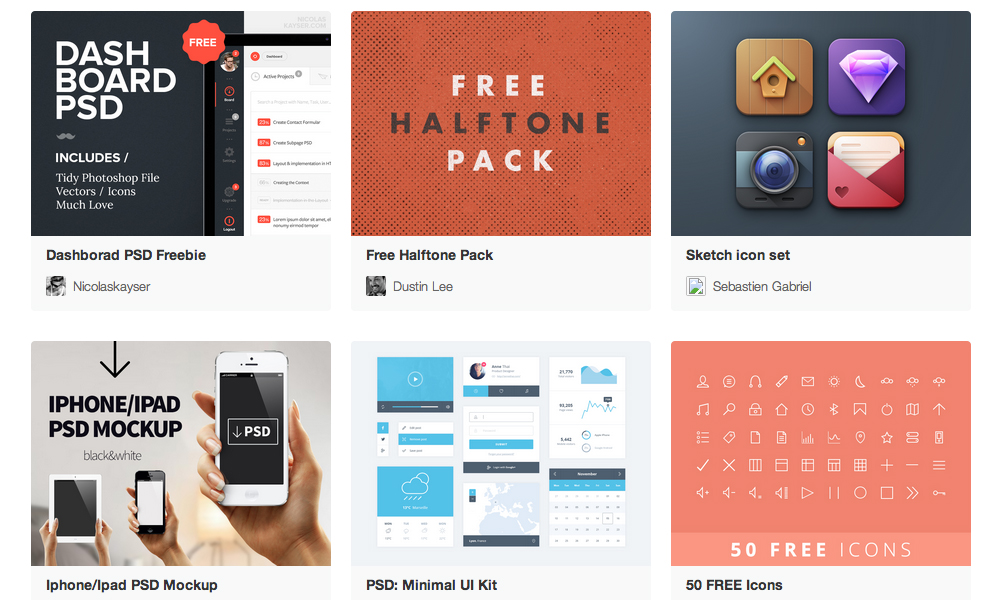
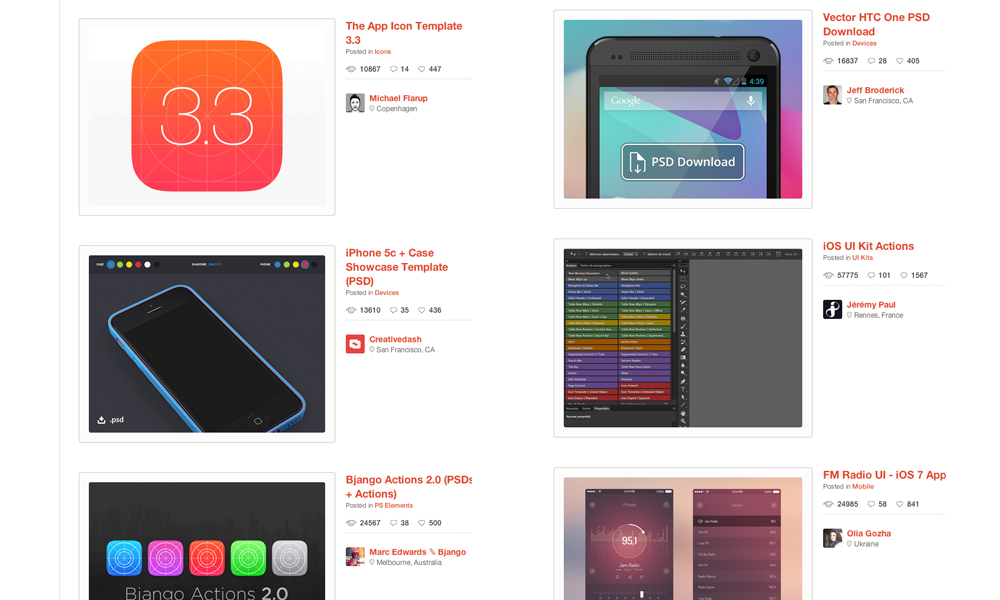
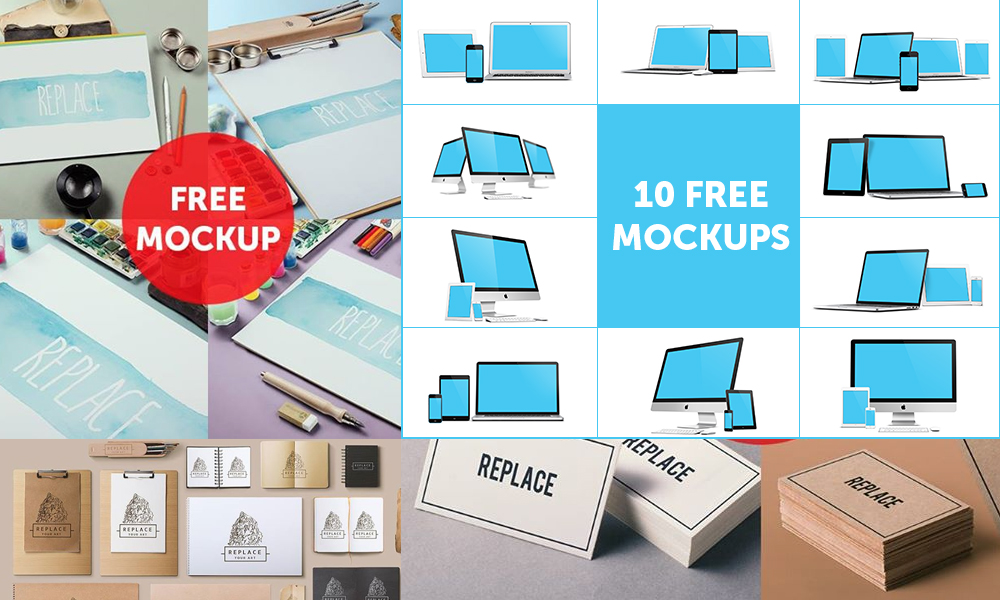
Ever wondered where designers get their resources to help them succeed with a project? Here is a list of great resources including sites, PSD. files, actions, UI elements, mock ups, et cetera. Best of all, they are totally free and available for you to download.
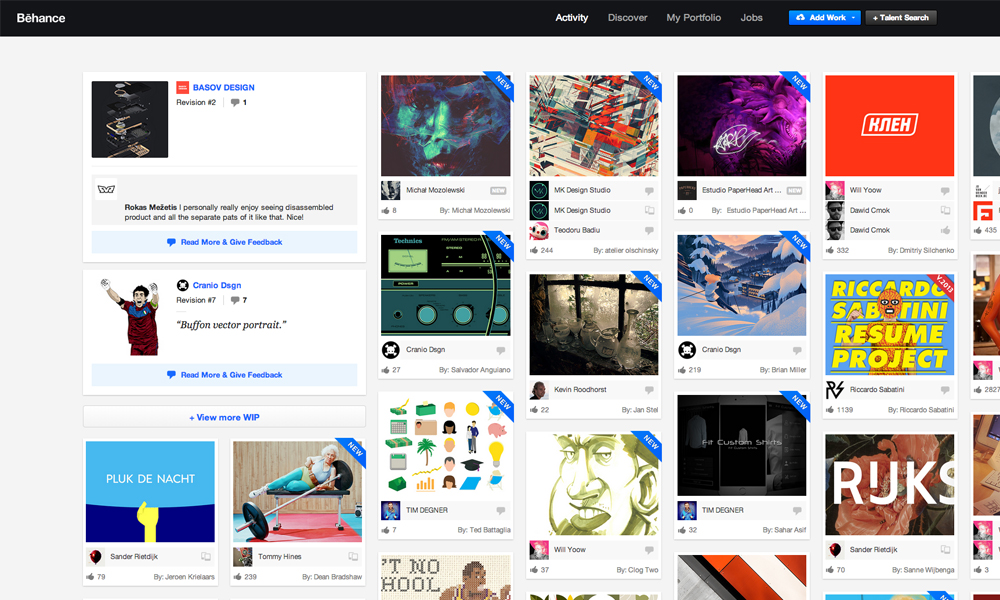
Many of us struggle when posting a project at Behance. How do we get it to make it look right? First of all, read this article – then download this nifty background template.
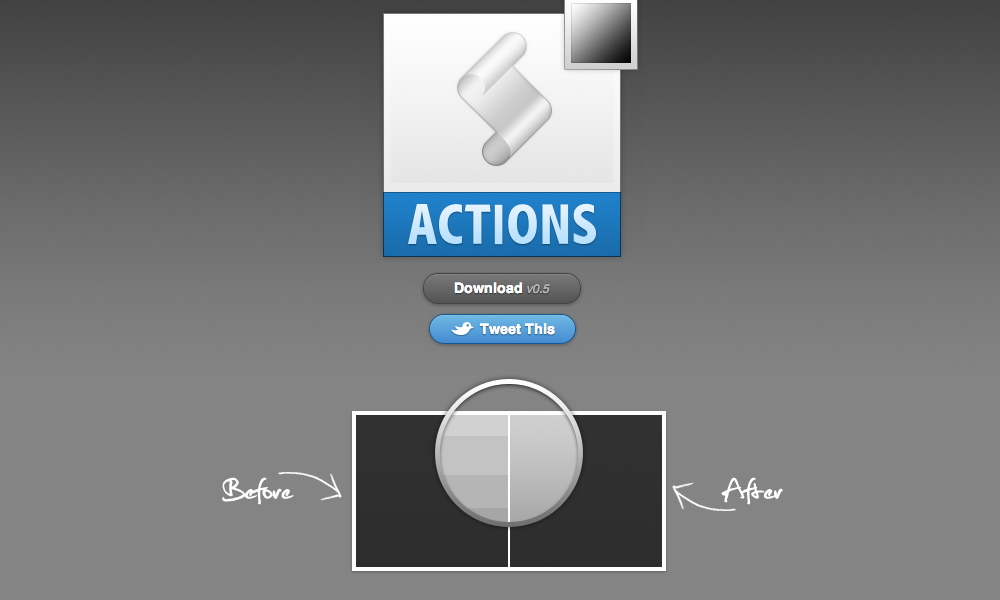
Often we experience banding when working with gradients within Photoshop. With this action, you can say farewell to them and make gradients look more smooth.
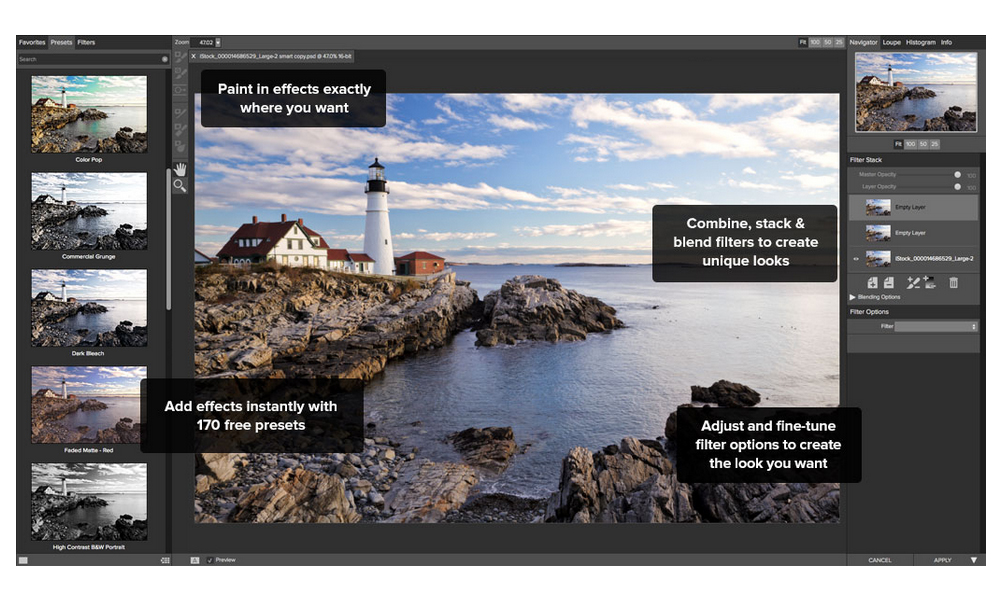
Designed specifically for photographers. With Perfect Effects 3, you’ll find intuitive and powerful tools that make it easy to add effects that can be difficult or time-consuming to create in Photoshop, Lightroom, Photoshop Elements or Aperture.
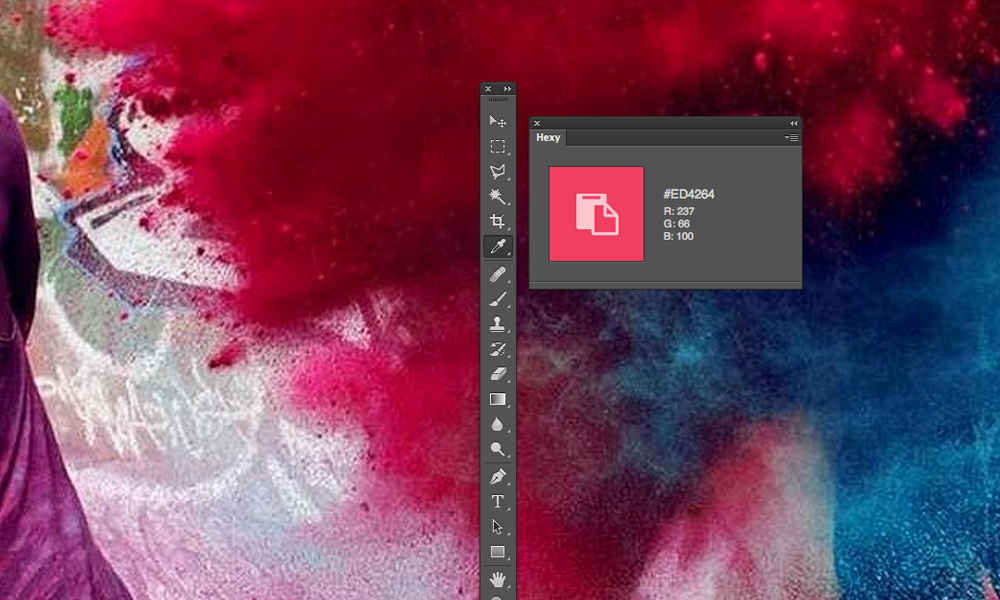
It’s a pain to have to select layers, highlight pieces of text and open the Color Picker to simply grab the hex value of a particular color. Hexy allows you to use the Eyedropper tool to simply click on the color of the object you’re after and copies it directly to your clipboard.
Size Marks is a helpful Photoshop script for Web designers and front-end engineers. This script converts rectangular marquee to labeled measurement mark.
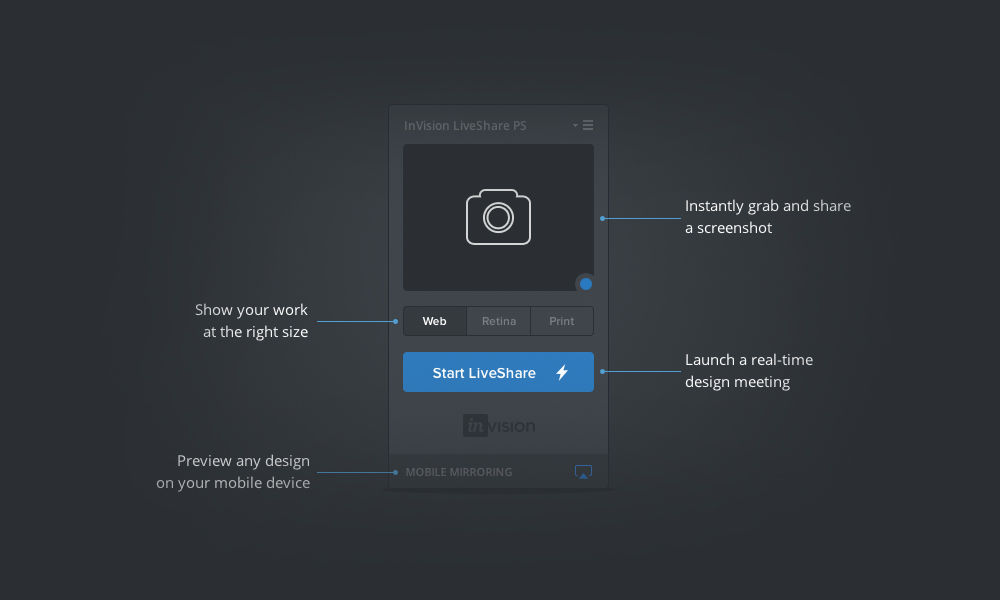
With LiveShare PS you can now broadcast any Photoshop document to as many people as you want through an instant LiveShare meeting. If you make a change to your Photoshop document, the tool will instantly see your changes in the LiveShare meeting—you don’t even have to hit the save button!
Met this guy while we both were a speaker at OFFF 2010 – he’s a friendly and talented artist. His site is an inspiration for many 3D artists and full of wonderful tutorials.
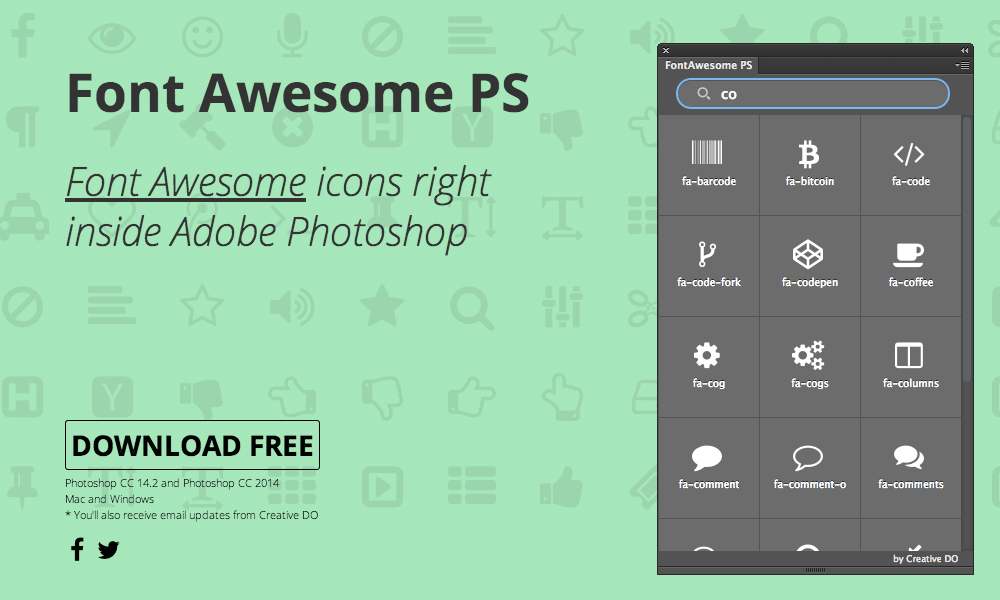
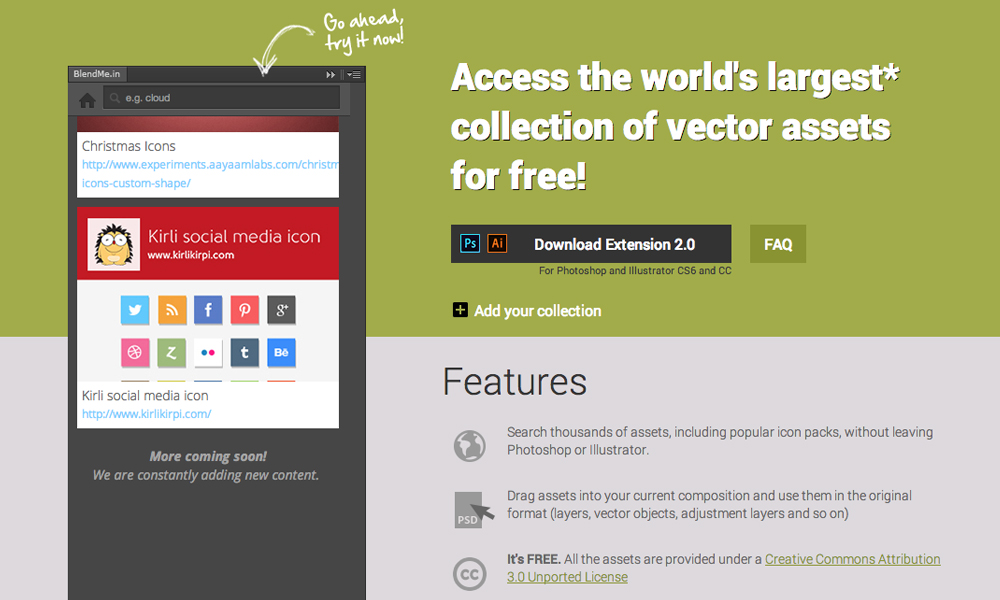
This extension for Adobe Photoshop and Illustrator searches thousands of assets, including popular icon packs, without having you to leave Photoshop or Illustrator.
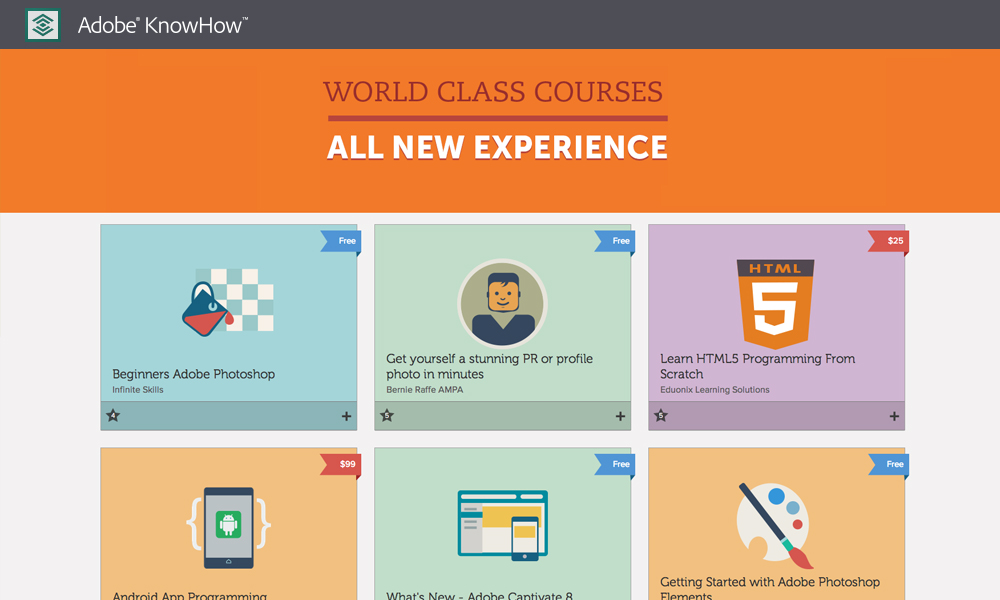
A great site offering you free tutorials for several programs for you to learn. For beginners, but also for the professionals. You can never know enough.
The popular company is the top dog in the tech realm, and also conquered this year’s list overall.
“The benefits and care of employees is obviously world-class, and compensation is almost unmatchable. But the company attracts some of the best talent and best people to work with in the world, which is the most important bit,” writes an anonymous Google program manager in San Francisco, California.
2. F5 Networks
The application delivery network came in fourth place overall, but snagged the second spot on the tech list.
“Very competitive salary, great benefits that challenge the huge multi-nationals. Plus, the culture is something that makes your day worth being in the office, the atmosphere where everybody understands we are in the same ship and we need to sail it together,” writes an F5 networks software engineer in Seattle, Washington.
3. Facebook
Mark Zuckerberg knows how to keep employees happy, whether by offering a video game room or free egg freezing for female employees (though that perk has been divisive).
“The amount of power entrusted to employees is huge. You are empowered to go explore and find data, build things and generally choose the course of action you think will have the most impact,” writes a Facebook user operations associate.
4. Qualcomm
Telecommunications company Qualcomm is always getting praise for its career culture. Just this year, it was cited one of the highest rated tech companies for internships. Clearly it’s doing something right.
“[I] get to work on new technology, skills and products in the mobile space. Very good on-job training and an immense library and training resources. Good work-life balance in some divisions,” writes an anonymous Qualcomm staff engineer/manager in San Diego, California.
5. Adobe
The software company that brought us editing tools like Photoshop and InDesign lands at No. 5 on this list.
“Adobe takes very good care of their employees; they make sure you get what you want from training to benefits. I simply enjoy going to work, enjoy sharing my ideas with intelligent (and humble) people who are always ready to help,” writes an Adobe software engineer in San Jose, California.
6. MathWorks
Mathematic software company MathWorks seems to have found the perfect formula for employee happiness.
“Very friendly and supportive co-workers. Awesome perks. Company really cares about employees. Lots of opportunities for leadership roles. Easy switch to different teams,” writes an anonymous MathWorks applications support engineer in Natick, Massachusetts.
7. Apple
It was a big year for the tech behemoth — new iPhones, ultra thin iPad Airs and smartwatches rained galore. Aside from forcing everyone to love U2, Apple is still a plush gig for employees.
“Apple offers crazy benefits, and competitive salary. By competitive, I don’t mean a couple grand more in a year, I’m talking about a 2X / 2.5X salary. This place is a sea of knowledge. Never seen a more dedicated group,” writes an Apple product design engineer in Cupertino, California.
8. LinkedIn
Networking social platform LinkedIn knows a thing or two about careers, so it makes perfect sense the company lands on this list.
“Besides the free food, there are lots of nice little company-sponsored events and things that happen. You can get professional development training easily. Your work schedule is generally pretty flexible,” writes a LinkedIn site reliability engineer in Mountain View, California.
9. Zillow
Real estate database Zillow amped up its online presence this year by buying Trulia, which makes for an exciting 2015.
“If you’re looking for a company that really cares about culture and happy employees, that’s Zillow to a T. You’re working with talented team members who are really passionate about their jobs, and their role in moving Zillow forward,” writes an anonymous Zillow software development engineer in Seattle, Washington.
10. MINDBODY
As its name suggests, MINDBODY works to help small businesses grow, particularly in the realm of health and fitness.
“We’re treated great with so many benefits: monthly wellness vouchers, onsite massage, onsite wellness classes, insurance, paid time off, etc. Managers are great! CEO is inspiring and visionary. From the top down funnels good vibes,” pens a MINDBODY customer service/technical support employee in San Luis Obispo, California.
The Wall Street Journal is reporting that Google plans to spend over $1 billion on a fleet of satellites that will be used to provide internet to parts of the world that currently lack digital connections.
According to “people familiar with the project,” Google will use 180 “small, high-capacity satellites” that will orbit the Earth at low altitudes. Led by Greg Wyler, who set up satellite startup O3b Networks Ltd, Google has been on a hiring spree to recruit engineers from satellite company Space Systems/Loral LLC, claims the Journal.
Now, if the report is accurate, Wuler is heading up a team of “between 10 and 20 people,” ultimately reporting to Larry Page. The project is scoped to provide internet to areas around the world without wired connections, and cost between $1 billion to more than $3 billion, depending on the network’s final design and size. The Journal claims that a later phase “could double the number of satellites. ”
Aside from organizational details, information about the project remains scant. But it’s not Google’s only drive to deliver internet from the skies: it’s already running tests with internet providing balloons, and it’s bought a drone company to cover the world in Wi-Fi, too.
While previous attempts to smother the world in internet via satellite have proved unsuccessful, that’s largely been due to escalating costs. If the the report is accurate, Google is now working on three high-profile projects to use airborne craft to connect the world. Clearly, cost isn’t too much of a concern for Page & Co..
Why? Well, aside from the obvious-being filthy rich-the provision of internet to currently unconnected locations across the globe opens up vast new markets. Google clearly wants it products and services to be the default option; we’ll just have to wait and see if it can pull it off. [Wall Street Journal]

























 Techiax