Google Updates Translate App With Awesome New Features

Google was expected to push out a drastically improved version of its translation app in the near future, but it looks like the new version of Google Translate has arrived even sooner than expected. The company revealed the upgraded service for Android and iOS today, introducing a couple of new features that should prove extremely useful for world travelers.

The first improvement is instant text translation, thanks to the overdue integration of Word Lens, which Google bought over the summer. In the past, you could snap a photo of foreign text to get a quick Google translation using the app. Now, you can simply point the viewfinder at the sign in question and get an even faster translation. The new feature works without an Internet connection, though for now it’s limited to just a handful of languages, including French, German, Italian, Portuguese, Russian and Spanish.

Google also added a “conversation mode” that should make it possible to communicate with anyone using your smartphone. Simply tap the microphone icon in the app and start talking. Google Translate will quickly figure out which two languages are being spoken and offer written translations of everything you say.

Google says the update should roll out to both Android and iOS within the next few days. We just checked and the update was not yet available in either Google Play or Apple’s App Store, but you can hit the source links below to see for yourself.


If you have some suggestions of your own please let us know in comments!

Facebook going to launch “Work apps” for companies

You may already sneak a quick look at Facebook during the day while you’re supposed to be working, but soon visits to the social network could be encouraged or even mandatory. Facebook just unveiled a new app called “Work” designed to create smaller networks within an individual company.

Facebook is launching Work apps for Android and iOS on Wednesday, along with a desktop website, TechCrunch reports. Companies will be able to create separate accounts for their employees, though you’ll also be able to sign-up using your personal Facebook profile. Either way, there’s no crossover between the two apps, and you can run both at the same time on your phone without any issues.

It’s still unclear exactly what the new app will let you do, though it looks like you’ll be able to share documents and post status updates like you would on the regular social network. We may also get the ability to edit files within Work at a later time.

There’s still no word on pricing, though it’s possible Work could be free. That would give the new app an edge over other popular social-enterprise services like Slack. It could also help introduce even more people to Facebook in general, potentially increasing the company’s massive user base even more.

Facebook Work is expected to hit iOS and Android later today, though it could be limited to a handful of pre-selected companies at first.

Facebook apologizes for its, “year in review” app for algorithmic cruelty

If you are spending a lot of time you may have noticed an irritating popup from Facebook called “Year In Review.” The “Year In Review” automatically gathers a selection of the most liked photos from your feeds and pop up messages into your timeline with a tagline declaring “It’s been a great year! Thanks for being a part of it.”

It may sound freakish but in case you have put up a photo of  death of a near and dear one in the family, and the photo has been most liked, Facebook’s Year In Review algorithm will rather cruelly put up that photo in your timeline with a rather inhumane and insensitive tag “It’s been a great year! Thanks for being a part of it.”

That’s exactly what happened to prominent web designer and writer Eric Meyer.  Facebook forced Meyer to relive the utter horror of losing his baby, who had died on 6th birthday in June, 2014 after suffering from brain tumour.  Meyer who is barely out of the grief of his immense personal loss was flabbergasted to see the photo and the very inhumane tagline. He summed it up aptly on his blog,

“I didn’t go looking for grief this afternoon, but it found me anyway, and I have designers and programmers to thank for it. In this case, the designers and programmers are somewhere at Facebook.”

Meyer called it a “algorithmic cruelty” on part of Facebook’s engineers who through the “Year In Review” app forced him to relive the horrors of the moment of his daughters death. From his blog, “Still, they were easy enough to pass over, and I did. Until today, when I got this in my feed, exhorting me to create one of my own. “Eric, here’s what your year looked like!”

Facebook apologizes for its, "year in review" app which comes out as a 'algorithmic cruelty' for many users

“A picture of my daughter, who is dead. Who died this year.” Meyer added, “Yes, my year looked like that. True enough. My year looked like the now-absent face of my little girl. It was still unkind to remind me so forcefully.”

The Year in Review popup may workout to be great for some while it may cause insurmountable pain to others to who have put up a image of  their near and dear ones lost in the year and if photo is picked up by Facebook’s algorithm to declare it has been a great year for them.

Meyer said he had known about the Year In Review popup but for obvious reasons had avoided making his own.  But that day, he felt helpless on seeing the popup in his timeline,

“To show me Rebecca’s face and say “Here’s what your year looked like!” is jarring. It feels wrong, and coming from an actual person, it would be wrong. Coming from code, it’s just unfortunate. These are hard, hard problems. It isn’t easy to programmatically figure out if a picture has a ton of Likes because it’s hilarious, astounding, or heartbreaking,” Meyer added, “Algorithms are essentially thoughtless. They model certain decision flows, but once you run them, no more thought occurs.”

Meyer, who is a web designer himself, knows the shortcomings in coding and algorithms vis-a-vis human emotions but he reminded Facebook that certain things should not be let to run.  Meyer recommended Facebook not to “pre-fill” any pictures until making sure the user actually wants to see them. He suggested that Facebook would been better off asking users opinion before dishing out such popups in the timeline.

Facebook apologises

Facebook has apologized for this offending error of its judgement. “[The app] was awesome for a lot of people, but clearly in this case we brought him grief rather than joy,” the product manager for Facebook’s “Year in Review” app, Jonathan Gheller, told The Washington Post. “We can do better – I’m very grateful he took the time in his grief to write the blog post.”


Facebook’s crazy sticker app is now available for iOS

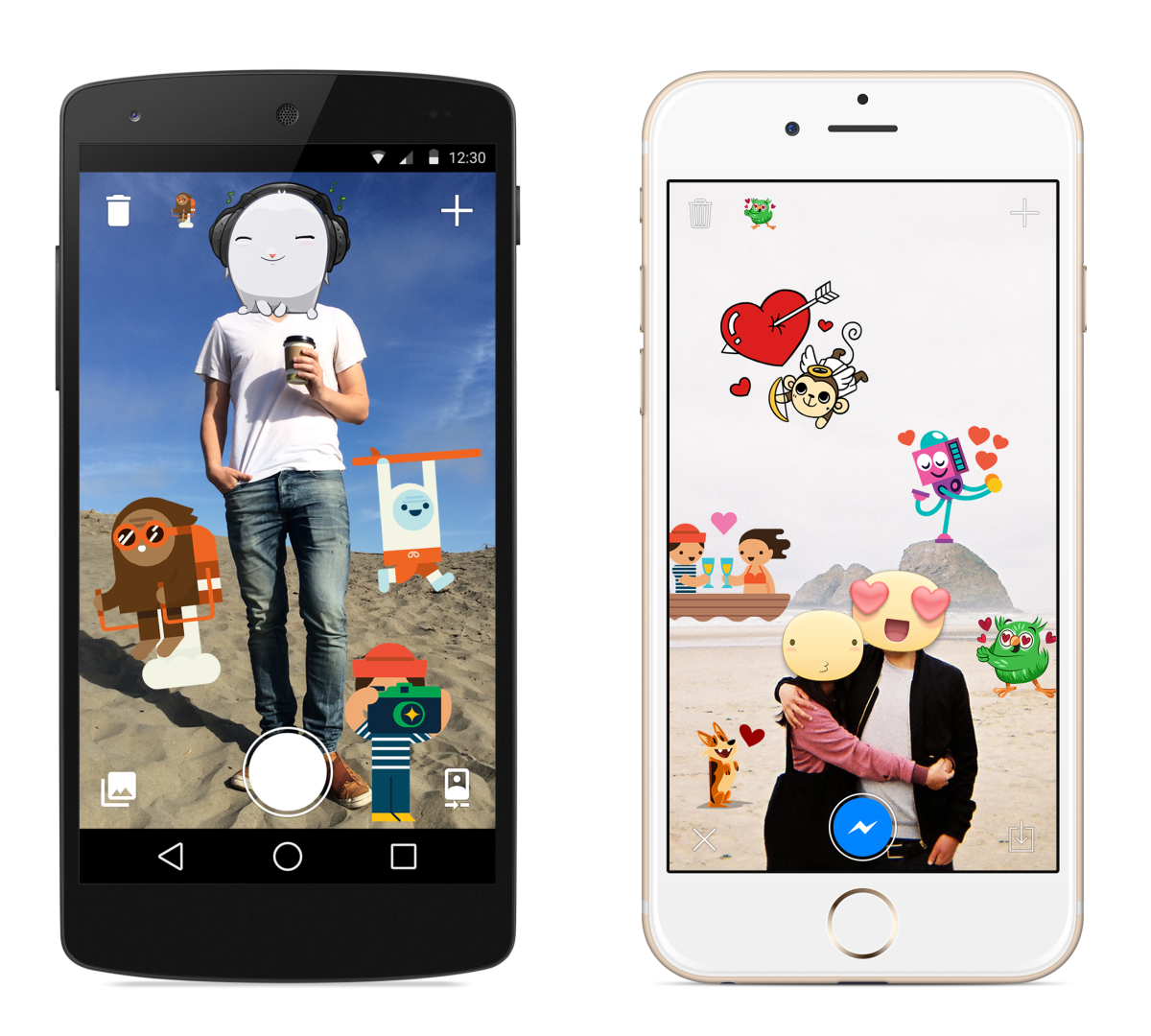
Last week, Facebook surprised us with a new app that lets you put stickers on photos, but it was available for Android users only.


The app lets you put stickers on any photo; you can import an existing photo or take a new one and add stickers to your heart’s content. Stickered is geared up to drop you into Facebook Messenger after you’re done, but you don’t need it to use the app.

stickered press 011 730x657 Facebooks crazy sticker app is now available for iOS

Facebook today made the app available for iOS in addition to the app released last week for Android users, so you can sticker up your photos just in time for Christmas.

➤ Facebook Stickered [iOS App Store]