Best notepad hacks and tricks

notepad-tricks-hacksNotepad Is Just A Simple Text Editor Provided By Every OS. It Is A Program That Is Pre-Installed In The Operating System To Create Text Files. It Almost Supports All Extension Like Html, JavaScript, JQuery, Batch Files Etc. Mostly The Programmers Use Notepad For Coding Because It Is The Best Way To Improve Programming Skills. It Has A Simple Graphical User Interface And Very Easy To Use. But If You Think That Notepad Is Only Use For This Stuff Then You Are Wrong. There Are Many Notepad Tricks And Hacks, With This You Can Make Fun With Your Friends In The School And College. The Notepad Tricks Are Just Simple Commands To Use To Run Small Programs. You Just Have To Copy The Code And Paste In Your Notepad And Then Save With The Extension Of That File. It Will Create A Simple Icon On Your Desktop Or Where Ever You Save The File. Run The File And You Will See The Effect Of That File. So Here I Am Going To Discuss You Notepad Tricks And The Features That Make Notepad Very Famous.


Notepad Tricks And Hacks 2016

#1. Falling Matrix Code Effect

This Is The Cool And Best Notepad Trick Ever. In This Trick You Will See The Green Code Falling Continuously. This Trick Is Inspired By The Matrix Movie.

  • Open Your Notepad
  • Copy The Below Given Code And Paste In Your Notepad.
  • Then Save The File With Name.Bat Extension. You Can Place The Name Whatever You Want To But .Bat Is Must.
@Echo Off
Color 02
:Start
Echo %Random% %Random% %Random% %Random% %Random% %Random% %Random% %Random% %Random% %Random%
 Goto Start

#2. Create Your Own Diary

This Is The Another Best Notepad Trick. In This Trick  I Will Show  You How You Can Create Your Own Diary So Whenever You Write Something On Notepad And Save It Will Automatically Save Your File With Date And Time.

  • Open Notepad
  • Now Type .LOG In Notepad
  • Then Save The File As A Log.Txt
  • Then Open The Program And Type Anything In The Notepad Then Save It And You Will See It Will Automatically Save With The Date And Time.

#3. Computer Speaking Your Message

With The Help Of  This Cool Notepad Trick Your Computer Will Be Able To Speak Whatever You Want To Speak From Your Computer.

  • Open Notepad.
  • Copy The Below Given Code And Paste In Your Notepad.
  • Then Save The File With Name.Vbs Extension Then Double Click On The Icon To Run It.
  • You Can Replace Text “Welcome To Mytrickscorner.Com” With Your Own Message.
Dim Speaks, Speech
Speaks="Welcome To Mytrickscorner.Com"
Set Speech=CreateObject("Sapi.Spvoice")
Speech.Speak Speaks

#4. Dancing Keyboard LED

This Notepad Trick Make Your Computer’s LEDs Dancing.

  • Open Notepad.
  • Copy The Given Code And Paste In Yout Notepad.
  • Then Save The File With Name.Vbs Extension Then Double Click To Run It.
Set WshShell =Wscript.CreateObject("WScript.Shell")
 Do
 Wscript.Sleep 100
 Wshshell.Sendkeys "{CAPSLOCK}"
 Wshshell.Sendkeys "{NUMLOCK}"
 Wshshell.Sendkeys "{SCROLLLOCK}"
 Loop

#5. Disable The Mouse

This One Is The Funny Notepad Trick With The Help Of This Trick You Can Disable Your Computer’s Mouse Just With The Help Of This Simple Code.

  • Open Notepad.
  • Copy The Given Code And Paste In Notepad.
  • Then Save The File With Name.Vbs Extension.
Rem Disable Mouse
 Set Key="HKEY_LOCAL_MACHINEsystemCurrentControlSetServicesMouclass"
 Reg Delete %Key%
 Reg Add %Key% /V Start /T REG_DWORD /D 4

#6. Eject CD Drive Continuously

With The Help Of This Notepad Trick Your Computer’s CD/DVD Drive Will Move Continuously Until You Stop The Script. You Can Amaze Your Friends With This Amazing Notepad Trick.

  • Open Notepad.
  • Copy The Given Code And Paste In Notepad.
  • Then Save The Name.Vbs Extension.
Set OWMP = CreateObject("WMPlayer.OCX.7")
 Set ColCDROMs = OWMP.CdromCollection
 Do
 If ColCDROMs.Count >= 1 Then
 For I = 0 To ColCDROMs.Count - 1
 ColCDROMs.Item(I).Eject
 Next
 For I = 0 To ColCDROMs.Count - 1
 ColCDROMs.Item(I).Eject
 Next
 End If
 Wscript.Sleep 5000
 Loop

#7. Shut Down PC

Here Is Another Best Notepad Trick With This You Will Be Able To Shut Down Your PC Laptop Direct By Double Clicking On The Program Created With The Given Code.

  • Open Notepad.
  • Copt The Code And Paste In Notepad.
  • Then Save The File Name.Bat Extension.
@Echo Off
 Shutdown.Exe -S -T 10
 Cls
 Msg * I Don’t Like You SHIT!

#8. Create Password Protected Folder Lock

With This Amazing Trick You Can Create A Folder With Password Protected.

  • Open Notepad.
  • Copy The Given Code And Paste In Notepad.
  • Now Save The File With Locker.Bat.
  • The Password Of The Folder Is Mytrickscorener.
  • You Can Change The Password By Replacing Mytrickscorener From The Code With Your Own Text.
@ECHO OFF
 Title Folder Locker
 If EXIST "Control Panel.{21EC2020-3AEA-1069-A2DD-08002B30309D}" Goto UNLOCK
 If NOT EXIST Locker Goto MDLOCKER
 :CONFIRM
 Echo Are You Sure U Want To Lock The Folder (Y/N)
 Set/P "Cho=>"
 If %Cho%==Y Goto LOCK
 If %Cho%==Y Goto LOCK
 If %Cho%==N Goto END
 If %Cho%==N Goto END
 Echo Invalid Choice.
 Goto CONFIRM
 :LOCK
 Ren Locker "Control Panel.{21EC2020-3AEA-1069-A2DD-08002B30309D}"
 Attrib +H +S "Control Panel.{21EC2020-3AEA-1069-A2DD-08002B30309D}"
 Echo Folder Locked
 Goto End
 :UNLOCK
 Echo Enter Password To Unlock Folder
 Set/P "Pass=>"
 If NOT %Pass%==Mytrickscorener Goto FAIL
 Attrib -H -S "Control Panel.{21EC2020-3AEA-1069-A2DD-08002B30309D}"
 Ren "Control Panel.{21EC2020-3AEA-1069-A2DD-08002B30309D}" Locker
 Echo Folder Unlocked Successfully
 Goto End
 :FAIL
 Echo Invalid Password
 Goto End
 :MDLOCKER
 Md Locker
 Echo Locker Created Successfully
 Goto End
 :End

#9. Convey Your Friend A Lil’ Message And Shut Down His / Her Computer

  • Open Notepad.
  • Copy The Given Code And Paste In Notepad.
  • Now Save The File With Name.Bat Extension And Run It.
@Echo Off
 Msg * I Don’t Like You
 Shutdown -C “Error! You Are Stupid!” -S

#10. Open Notepad Continually In Your Friend’s Computer

With This Cool Trick You Can Make Fun Of Your Friends. Simple Create A File With The Given Code And Send It To Your Friends. When Your Friend Open This File The Notepad Will Continually Open In Their Computer Until They Stop The Program.

  • Open Notepad.
  • Copy The Given Code And Paste In Notepad.
  • Now Save The File With Name.Bat Extension And Send It To Your Friend.
@ECHO Off
 :Top
 START %SystemRoot%System32notepad.Exe
 GOTO Top


If you like our posts please like us on facebook and support us.

Please let us know about your views in comments.

The 5 Most Infamous Software Bugs in History

In the digital era, computer bugs can affect our lives, the economy of a nation and even the well-functioning of society in general. As the internet of things gradually invades all aspects of our environment, the importance of identifying and preventing computer bugs grows exponentially.

These are 5 infamous software bugs that went down in history:

1 – The “Moth-er” of all bugs

BBVA-OpenMind-ventana-primer-bug-ppal1

After finding a moth inside the Harvard Mark II computer on September 9th, 1947 at 3:45 p.m., Grace Murray Hopper logged the first computer bug in her log book. She wrote the time and the sentence: “First actual case of bug being found”. Nowadays, the term “bug” in computer science is not taken literally, of course. We use it to talk about a flaw or failure in a computer program that causes it to produce an unexpected result or crash.

You may already be familiar with this story, but is it really true…?

2 – The Y2K bug

bug02

In the last century, software developers had never thought that their code and creations would survive into the new millennium. For this reason, many assumed that writing “19” before the variable “year” was an unnecessary waste of memory. Most decided to omit these two digits.

All good until the turn of the century: the closer we got December 31st, 1999,  the more we started worrying about the fact that computer systems in New Year’s Eve would update their clock to January 1st, 1900 instead of 2000 and, because of this, major disasters would be unleashed and it would be the end of mankind.

However, we are still here to tell the tale: nuclear missiles were not fired on their own, planes did not fall from the sky and banks did not lose all the information about their clients’ savings.

The Y2K bug was real, nevertheless. Billions of dollars were spent in order to upgrade computer systems worldwide. Also, some small incidents were reported: In Spain, some parking meters failed. The French meteorological institute published on its website the weather for January 1st 19100 and in Australia, some bus-ticket validation machines crashed.

3 – The Dhahran Missile

In February 1991 (First Gulf War), an Iraqi missile hit the US base of Dhahran in Saudi Arabia, killing 28 American soldiers.

Following an investigation, it was determined that the base’s antiballistic system failed to launch because of a computer bug: the Patriot missile battery, whose role is to detect and intercept enemy missiles by “crashing” against them in mid-air, had been running for 100 hours straight. After every hour, the internal clock drifted by milliseconds and that had a huge impact on the system (a delay of  ⅓ of a second after 100 hours).

For a person, 0.33 seconds is an infinitesimal amount; but for a radar that tries to track anAl Hussein Scud missile –  that reaches Mach 4.2 (1.5 km per second / 0.88 miles per second ), this “micro-delay” translates into a “600 meter” error. In the case of the Dhahran incident, the radar first identified an object in the sky but didn’t manage to track it due to the error, and thus, the missile didn’t launch itself.


4 – Feet or meters? The Mars Climate Orbiter nav bug

bug03.jpg

The Mars Climate Orbiter was launched in 1998 with the goal of studying climate on Mars, although it never managed to fulfill its mission.

After traveling through space for several months, the probe was destroyed because of a navigation error: teams who controlled the probe from Earth used parameters in imperial units meanwhile the software calculations were using the metric system. These miscalculations had an impact on the flight path. In the end, the probe was destroyed because of friction with the Martian atmosphere (an error of almost 100 km).

5 – Too many digits for Ariane 5

bug04.jpg

When coding, a developer has to define variables the program will use and also the size those variables will take in the computer’s memory. The amount of memory required by the variable is expressed in bits.

A 16 bits variable can have a value of −32.768 to 32.767.

On the other hand, a 64 bits variable can have a value of −9.223.372.036.854.775.808 to 9.223.372.036.854.775.807 (that’s almost an infinity of options).

On June 4th, 1996 and only 30 seconds after the launch, the Ariane 5 rocket began to disintegrate slowly until its final explosion. Simulations with a similiar flight system and the same conditions revealed that in the rocket’s software (which came from Ariane 4), a 64-bit variable with decimals was transformed into a 16-bit variable without decimals.

These variables, taking different sizes in memory, triggered a series of bugs that affected all the on-board computers and hardware, paralyzing the entire ship and triggering its self-destruct sequence.


If you like our posts please let us know in comments.

10 Powerful hacking tools for Kali linux

maxresdefault

Kali Linux, the hacker’s operating system is very powerful Linux distro and it is my favorite OS, not only my favorite but also many Hackers and pentesters choosing Kali Linux as their favorite hacking tool. The main reason hackers and newbies like Kali is because it is blessed with 300+ hacking tools and it has developed by Offencive Security team, so today i want to introduce you the top 10 tools i like most in kali linux. Here i am giving tutorials for each hacking tools so everybody can understand it well.

1. Metasploit

Metasploit has become over the years the best framework to conduct penetration testing on network systems and IT infrastructure. The Metasploit Project, or better known as simply ” is a hugely popular pentesting or hacking tool that is used by cyber security professionals and ethical hackers. Metasploit is essentially a computer security project that supplies information about known security vulnerabilities and helps to formulate penetration testing and IDS testing.

Metasploit is in fact a sub-project of the Metasploit Framework. This hacker tool and framework is best known for its anti-forensic and evasion tools, some of which are built into the Metasploit Framework.

2. THC Hydra

Although often considered as yet another password cracker, THC Hydra is hugely popular and has a very active and experienced development team. Essentially THC Hydra is a fast and stable Network Login Hacking Tool that will use dictionary or brute-force attacks to try various password and login combinations against an log in page. This hacking tool supports a wide set of protocols including Mail (POP3, IMAP, etc.), Databases, LDAP, SMB, VNC, and SSH.


3. Sqlmap

Basically its just a tool to make Sql Injection easier. Their official website introduces the tool as -“sqlmap is an open source penetration testing tool that automates the process of detecting and exploiting SQL injection flaws and taking over of database servers. It comes with a powerful detection engine, many niche features for the ultimate penetration tester and a broad range of switches lasting from database fingerprinting, over data fetching from the database, to accessing the underlying file system and executing commands on the operating system via out-of-band connections.”


4. Nikto

There are a number of tools and applications to find vulnerabilities in websites, but one of the simplest (and one of my favorites) is nikto.

This small and simple tool examines a website and reports back to you the potential vulnerabilities that it found that you could use to exploit or hack the site. In addition, it’s one of the most widely used website vulnerabilities tools in the industry and in many circles considered the industry standard.


5. Ettercap

Ettercap has a huge following and is widely used by cybersecurity professionals. Ettercap works by placing the users network interface into promiscuous mode and by ARP poisoning the target machines, i.e. facilitating a ‘Main In The Middle’ or MITM attack. Once successfull Ettercap (and the hacker) can deploy various attacks on the victims. A popular feature about Ettercap is its’ ability to support various plugins.


6. BeEF


BeEF was developed by a group of developers led by Wade Alcorn. Built on the familiar Ruby on Rails platform, BeEF was developed to explore the vulnerabilities in browsers and test them. In particular, BeEF is an excellent platform for testing a browser’s vulnerability to cross-site scripting (XSS) and other injection attacks.


7. Wireshark

Wireshark, formerly known as Ethereal, is one of the mostpowerful tools in a network security analyst’s toolkit. As a network packet analyzer, Wireshark can peer inside the network and examine the details of traffic at a variety of levels, ranging from connection-level information to the bits comprising a single packet. This flexibility and depth of inspection allows the valuable tool to analyze security events and troubleshoot network security device issues. It’s also priced right: it’s free!


8. Maltego


Maltego is capable of gathering information about either a network or an individual; here we will focus on the former and leave individual information gathering for another time. We will be looking at gathering info on all the subdomains, the IP address range, the WHOIS info, all of the email addresses, and the relationship between the target domain and others.


9. Msfvenom

From 8th june 2015 we will no longer receive the services of msfpayload and msfencode. They are going to retire permanently. Yeah! Permanently off course this is a bad news. These both tools are serving us since ten years but the time has come to say good bye. Thank you msfpayload and msfencode for serving us in every level of hacking or penetration testing we will never forget you.

But the good news is msfpayload and msfencode are being replaced by a new tool called msfvenom. This is the combination of both the tools, almost from three and half years this new tool is being tested and the time has come to use it.


10. Wireless Auditing

In this Section i am introducing you to the 3 wireless hacking tools, Aircrack-ng, Reaver, and Pixiewps. PicaTesHackZ do not condone the illicit activities of wireless auditing on unauthorized systems. We do however encourage you to use this knowledge to your benefit to learn and practice exploitation using the latest in Wireless Auditing. Although I did do a write up about using reaver and pixiewps, there has been updates, I have more tests, and more knowledge on the tools. Please keep in mind it is illegal to penetrate networks that are not your own without proper permission. This falls on you, so do what you will but we will hold no liability for your actions.
If you have some of your own favorites please let us know in comments.

The Top Hacker Tools you need to know!!!

blackhat

Every task requires a good set of tools.This because having right tools in hand one can save much of its energy and time.In the world of Cyber Hacking (“Cyber Security” formally) there are millions of tools which are available on the Internet either as Freewares or as Sharewares.

If you are security researcher, pentester or a system admin, you need to have this on your PCs/laptops to find the vulnerabilities and plug them. Concise Courses conducted an online poll to determine top ten hacking tools out of some of the famous ones. Here is the list which came out the winner on the poll.

1. Nmap:  Network Mapper

Abbreviated as nmap is a versatile tool for Network Security, plus it is free and open source.It  is largely used by network administrators for network discovery and security auditing. System admins use nmap for network inventory, determining open ports, managing service upgrade schedules, and monitoring host(A term used for “a computer on a network”) or service uptime. The tool uses raw IP packets in many creative ways to determine what hosts are available on the network, what services (application name and version) they offer,which type of protocols are being used for providing the services,what operating systems (and OS versions and possible patches) and what type and version of packet filters/ firewalls are being used by the target.

2. Metasploit:

A tool for exploiting (Utilising network weakness for making a “backdoor”) vulnerabilities (Weak Points) on Network. This tool is neither free nor open source. But when it comes to features offered it deserves the price it claims. The Metasploit Project is a hugely popular pentesting (penetration testing) or hacking tool that is used by cybersecurity professionals and ethical hackers. Metasploit is essentially a computer security project that supplies information about known security vulnerabilities and helps to formulate penetration testing and IDS testing.

3. Cain and Abel:

Cain & Abel is a password recovery tool that is mostly used for Microsoft Operating Systems. This popular hacking tool allows the user to seek the recovery of various kind of passwords by sniffing the network(capturing some of the data packets), cracking encrypted passwords using Dictionary, Brute-Force(Generation of hashes out of words and then comparison of encrypted hash with the generated one,this method takes less time than dictionary attack method) and Cryptanalysis attacks. Cain, as it is often referred to, can also record VoIP(Voice over IP protocol,used for making calls over using internet) conversations, decode hashed scrambled passwords, recover wireless network keys and more.It can crack various types of hashes including NTLM,MD2,MD5,SHA-1,SHA-2 and many more.These functionalities make Cain and Abel one of the best password recovery tool.

4. Angry IP Scanner: 

Angry IP Scanner, also known as ‘ipscan’ is a freely available (open-source and cross-platform) hacking network scanner that is both fast and easy to use. The main purpose of this hacking tool is to scan IP addresses and ports to find open doors and ports. Worth noting that Angry IP Scanner also has a bunch of other uses as well. Common users of this hacking tool include network administrators and system engineers.

5.John The Ripper: 

John the Ripper is a popular password cracking pentesting tool that is most commonly used to perform dictionary attacks. John the Ripper takes text string samples (from a text file, referred to as a wordlist, containing popular and complex words found in a dictionary or real passwords cracked before), encrypting it in the same way as the password being cracked (including both the encryption algorithm and key), and comparing the output to the encrypted string. This tool can also be used to perform a variety of alterations to dictionary attacks.Including Brute Force and Rainbow attacks.

6. THC Hydra:

Although often considered as yet another password cracker, THC Hydra is hugely popular and has a very active and experienced development team. Essentially THC Hydra is a fast and stable Network Login Hacking Tool that will use dictionary or brute-force attacks to try various password and login combinations against an log in page. This hacking tool supports a wide set of protocols including Mail (POP3, IMAP, etc.), Databases, LDAP(Lightweight Directory Access Protocol),SMB, VNC, and SSH(Secure Shell,used by VPN Softwares).

7. Burp Suite:

A pentesting tool,Burp Suite has several features that can help the penetration tester or ethical hacker. Two commonly used applications used within this tool include the ‘Burp Suite Spider’ which can enumerate and map out the various pages and parameters of a web site by examining cookies and initiates connections with these web applications, and the ‘Intruder’ which performs automated attacks on web applications.

8. Nessus Remote Security Scanner

Recently went closed source, but is still essentially free. Works with a client-server framework. Nessus is the worlds Nessus Remote Security Scanner most popular vulnerability scanner used in over 75,000 organizations world-wide. Many of the worlds largest organizations are realizing significant cost savings by using Nessus to audit business-critical enterprise devices and applications. (This tool is not in the Concise list)

9. Ettercap:

Ettercap has a huge following and is widely used by cyber security professionals. Ettercap works by placing the user’s network interface into promiscuous mode and by ARP poisoning(ARP : Address resolution protocol is used to determine a host’s MAC address (address of its Network Interface Card) by knowing its IP address. ARP poisoning is a process where a hacker gives wrong information of either its MAC or IP address to the network.) the target machines, i.e. facilitating a ‘Man In The Middle’ or MITM attack. Once successful Ettercap (and the hacker) can deploy various attacks on the victims. A popular feature about Ettercap is its’ ability to support various plugins.

10. Wapiti:

Wapiti has a very loyal following. As a pentesting tool (or framework) Wapiti is able to scan and detect hundreds of possible vulnerabilities. Essentially this Multi Purpose Hacker Tools can audit the security of web applications by performing “black-box” scans, i.e. it does not study the source code of the application but will scan the HTML pages of the application seeking scripts and forms where it can inject data.


source: Techworm,Concise


If you have any favorite tool of your own which we have not mentioned in the article, kindly mention it in the comments so that we can include it in our next list.

Top 10 Unbeatable Vulnerability Scanners you need to know

With efficient technology comes the issue of safety and security. Even as technology around us improves drastically, unsolicited vulnerabilities that might creep in have grown smarter and way difficult to detect. Detecting vulnerabilities can be a daunting task in its own right, however, a set of efficient scanners available make the process less cumbersome yet effective!


Here are top 10 unbeatable vulnerability scanners:


1. Nessus

-Features: patch, configuration, and compliance auditing; mobile, malware, and botnet discovery; sensitive data identification etc.

-Versions: Nessus and Nessus Perimeter Service (commercial organisations and enterprises), Nessus evaluations (commercial organisations) and Nessus Home (non-commercial, home network).

-Operating Systems supported: Windows, Mac OS X, OpenBSD, FreeBSD, Solaris, and/or other UNIX variants.

-Price: Paid

2. OpenVAS

-Framework of several services and tools that offers a comprehensive vulnerability scanning and vulnerability management solution.

-Consists of a daily updated feed of Network Vulnerability Tests (NVTs).

-Majority of components licensed under the GNU General Public License (GNU GPL).

-Operating Systems supported: Linux, Windows and others.

-Price: Free

3. CORE Impact Pro

-Taking vulnerabilty scanning to an all new level beyond traditional exploitation, CORE Impact Pro provides the same level of Advanced Persistent Threat and password-based techniques currently being deployed by various cyber criminals.

-Allowing commercial and government organisations to actively test the security of their network and application infrastructure.

-Operating System supported: Windows

-Price: Paid

4. Nexpose

-Scans for mis-configurations, vulnerabilities, and malware and then provides specific remedies for each issue.

-Scans the entire IT environment including networks, operating systems, web applications, databases, and virtualisation.

-Operating System supported: Windows and Linux.

-Price: Paid

5. GFI Lan Guard

-Scans and detects network vulnerabilities before they are exposed. This considerably reduces the time required to patch machines.

-Provides both security and non-security patches for Microsoft, Mac OS X, Linux and over 50 other third-party operating systems and applications.

-Operating System supported: Windows

-Price: Paid

6. QualysGuard

-Award-winning cloud security and compliance solution that provides global businesses with on demand critical security intelligence.

-Provides auditing, compliance and protection for Internet perimeter systems, internal networks, and web applications.

-Operating System supported: Windows

-Price: Paid

7. MBSA

-The Microsoft Baseline Security Analyser provides a streamlined detection of missing security updates and common security misconfigurations.

– The very recent MBSA 2.3 release adds support for Windows 8.1, Windows 8, Windows Server 2012 R2, and Windows Server 2012.

-Operating System supported: Windows

-Price: Free

8. Retina

-Perhaps one of the most sophisticated vulnerability assessment solutions available.

-Available as a standalone application or as part of the Retina CS unified vulnerability management platform.

-Efficiently identifies exposures (missing patches, configuration weaknesses etc.) and then prioritises enterprise-wide remediation.

-Operating System supported: Windows

-Price: Paid

9. Secunia PSI

-The Secunia Personal Software Inspector (PSI) efficiently identifies vulnerable and out-dated programs and plug-ins, that might expose your PC to attacks. It thereafter patch these vulnerable programs.

-Operating System supported: Windows

-Price: Free

10. Nipper

-The Network Infrastructure Parser checks the security of network devices such as switches, routers, and firewalls.

-It was earlier an open source tool. Then its developer (Titania) released a commercial version and tried to hide their old GPL releases.

-Operating System supported: Windows, Apple MAC OSX, Linux

-Price: Paid


If you have some suggestions of your own please let us know in comments!


30 best apps to start your new iphone!

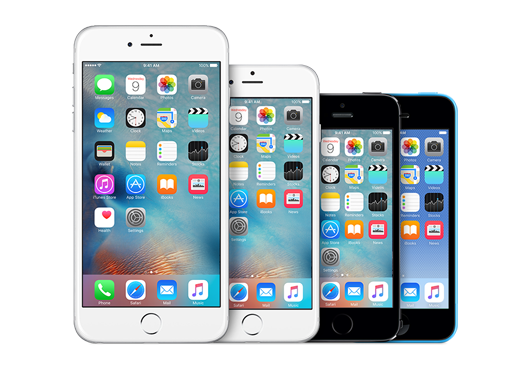
Here are some of our favorite iPhone apps that’ll help you make the most of your shiny new iPhone.
Camera+

Camera+ is the best third-party camera app for the iPhone. It comes with an intuitive interface, photo filters, horizontal leveler and provides advanced composition controls that allow you to adjust almost everything from exposure to focus, photo filters.

Download link – $2.99

Tweetbot

Tweetbot is the best iOS Twitter client out there, with features like muting, timeline sync, day/night themes, multiple accounts and more. The iPhone version of the app has been updated for iOS 8, and optimized for iPhone 6 and iPhone 6 Plus.

Download link – $2.99

Free alternative:

Twitter’s Official app – Download link

Best Email app: Dispatch

If you’re a disciple of Merlin Mann and are constantly gunning for Inbox Zero, you’ll find Dispatch to be the perfect tool to reach that goal. Swipe left on a message to reveal actions, or swipe further to quickly archive that message and be on your way towards clearing your inbox for good. When it’s time to reply to a message, Dispatch automatically fills in a salutation and hides the To/From fields so you get right down to typing out your reply. If you want to speed things up even more, you can quickly insert searchable text snippets to finish replying in a jiffy.

For those who use multiple apps in conjunction with their email, Dispatch has a huge list of actions to triage your messages with, including creating events, reminders and text messages with default iOS apps, adding to-dos to a range of third-party apps like Clear and Things, sending content to Evernote, opening links in Chrome or Dolphin, saving articles for later with Pocket, Instapaper and more, and even viewing locations with Google Maps.

Download link – $4.99

Best Weather app: Dark Sky

The default Weather app is quite great, but if you’re in the US then you should check out Dark Sky. Striking a great balance between information density and readability, Dark Sky puts current temperature and precipitation readouts front and center, and reveals additional data when you tap or swipe. Everything from rain forecasts to humidity and wind speed to updates for the coming week are easy to digest, and never feel overwhelming thanks to clever layouts. With a focus on rain alerts, the app can also send you notifications before it starts to pour.

Dark Sky also has maps for temperature and precipitation, and weather geeks will love the detailed animated globe you can pan and zoom around. but is only available in the US, UK and Ireland for now. We like how the app is great for daily use as well as for harsh conditions when you need more info. It’s ability to predict whether it was going to rain or stop raining in an immediate location and within the next hour is quite magical.

Download link – $3.99


Best Browser app: iCab Mobile

Power users will feel most at home with iCab Mobile: the iOS counterpart of the famed iCab browser for Mac offers flexibility like no other. Customize your toolbar icon and menu loadouts, use drawn and multi-touch gestures, choose from a wide range of browser IDs to test web sites, import/export your browser settings and bookmarks via cloud services like Dropbox and iCloud, select from a range of search engines for auto-suggestions and congifure how you want the browser to handle operations based on how much memory is free on your device.

iCab Mobile also includes a ton of modules to enhance your browsing experience: find all the sites that link to your active page, share to major social networks and read-later services, examine pages with Firebug Lite, save pages to PDF, query Google Cache to find older versions of a page and even autoscroll your active page for hands-free reading.

iCab Mobile also offers fine-grained control over every aspect of how it works, including whether the address bar should clear itself when activated and how links from the same domain of an active page should open (in a new tab or in the same tab). These are precisely the kind of features that fans of desktop browsers will appreciate, and iCab Mobile brings these in spades — making this browser totally worth its asking price of $2.

Download link – $1.99

1Password

Manage your passwords and other sensitive information like bank account info, credit card numbers etc. securely with 1Password.

Download link – In-app purchase for $5.99

Clear

Clear is a simple to-do app and reminder app, which comes with an intuitive gesture based user interface, iCloud sync and is made for iPhone and iPad.

Download link – $2.99

Best Calendar app: Fantastical

Fantastical is an awesome alternative to the stock Calendar app for the iPhone with support for natural language text entry (“Meet Bob for dinner tomorrow at 8”), reminders, background updates and more. It also includes a gorgeous Notification Center widget for iOS 8.

Download link – $3.99

Unread

After being a fan of Reeder for several years, Unread is my new favorite RSS reader for the iPhone and iPad. It comes with a clean interface with support for a variety of RSS services like Feedly, Feedbin, Feed Wrangler, Newsblur and Fever. It also offers themes to make it easy , and the ability to share or export your content to a number of sharing services.

➤ Download link – Free with $4.99 in-app purchase to read unlimited articles and unlock additional themes.

Best To-do List app: Todoist

Todoist is my favorite task management app. Besides the ability to create tasks, set priorities and add labels, you can also search through tasks, attach notes and files, and even receive location-based reminders so you complete to-dos when you’re in the area (perfect for picking up your dry cleaning). The app even handles basic language parsing when setting due dates (terms like ‘tomorrow’ and ‘every day’ are understood correctly).

It’s worth noting that while the app is free, many of its advanced features are only available with a Premium plan ($29/year).

Download link

Best third-party keyboard: SwiftKey

iOS 8 allows you to add your own third-party keyboard. Our favorite third-party keyboard is SwiftKey. It is easily the most powerful and versatile keyboard, and is recommended for users who want to try several new features in a single keyboard.

Download link – Free

Drafts

Drafts is an interesting take on note taking. I have started using it only recently, and loving it. It is a great way to capture a thought, idea or any kind of note, and the iOS 8 Share Extension now makes it even more easier to capture text from the web and other apps.  You can share text to any app or service, or use advanced features such as custom actions to send email, messages, create reminders & events, post to Twitter, Facebook and so much more with a single tap.

➤ Download link – $4.99

Shazam

Shazam has been an all-time favorite ever since it was released in the App Store in 2008. Even though Apple has integrated the song recognition feature in iOS 8, I still think it is worth downloading the standalone app, as it gives you tons of features such as the ability to listen to the song you’ve tagged on your favorite music streaming app such as Spotify, Rdio etc or watch the video on YouTube.

Download link

Shazam – Free

Shazam Encore – $6.99

Sygic

While there are quite a few good navigation apps like Apple’s Maps app, Google Maps, Waze etc. that are free, we prefer the Sygic GPS Navigation app, which comes with offline maps from TomTom so you don’t need an internet connection like the navigation apps mentioned earlier once you’ve downloaded them.

The offline maps are free, but you have to buy one of the packages available via in-app purchase for features such as 3D maps, turn-by-turn navigation, dynamic lane guidance, gives warnings when you exceed speed limits, warning for fixed speedcams in some countries, police trap warnings from other users and more. It also offers premium features such as HUD – Heads up display(at night navigation info is projected directly into the line of sight on the dashboard), BlackBox (a dash-cam that records while you’re navigating), Cockpit (measures the performance of your car). It does not have the best user interface, but the rich feature list compensates for it.

Download link – Free with in-app purchases

Free Alternative:

Google Maps – Download link

Nuzzel

Nuzzel is my favorite news app currently. It connects to your Twitter account, and tells you which are most shared links in your timeline by the people you follow. It’s a lot easier than scrolling through your timeline, and a great way to discover new content, especially if you’re following people from different walks of life.

➤ Download link – Free

Hours

Hours is a simple and intuitive productivity app. It is meant to help you stay productive, which it does by helping you track the time it takes for a task with a single tap. You can see how you spent the time in a day with the visual timeline. The Today widget in iOS 8 makes it even more easier to start/stop/switch timers with a single tap even from the lock screen.

➤ Download link – $4.99

Workflow

Workflow is a clever new app that was released last month that makes it easy to automate processes. You can do things like create a gif, make pdfs from Safari, order a pizza, order an Uber to go home, get directions to your favorite coffee shop with a single tap using actions that are included in the app, or create your own custom action.

Download link – $2.99

Deliveries

Deliveries helps you keep track of packages that you’ve ordered online. It supports UPS, Fedex, US Postal Service, DHL, TNT, Canada Post, City Link, Royal Mail and many more. It can also track orders on Apple and Amazon. With iOS 8, you can check the status of your order right in the Notification Center thanks to the Today widget.

Download link – $2.99

Launch Center Pro

Launch Center Pro is an app that can really boost your productivity on your iPhone. It makes clever use of URL schemes and x-callback-URL to create shortcuts to launch actions, not just apps. You can frequently perform on your iPhone such as calling or messaging a regular contact, jump straight to the camera in Instagram, message a gif to a friend etc.

Download link – $0.99

Camcard

Camcard is my favorite app to scan business cards, and a must-have app if you get a lot of business cards. It lets you scan and organize business cards so that you don’t need to enter the details manually. It scanning technology is also quite accurate, and support 16 languages.

➤ Download link – $0.99

Scanner Pro

Scanner Pro turns your iPhone into a scanner. It is my favorite app for scanning a document on the go, and keeping a digital version of it. It automatically detects the edge of the paper, then rotates and straightens the image if require. You can save the scanned document as a PDF, and share it by email, take a print out, upload it to cloud storage like Dropbox, Evernote, Google Drive etc. You can also password protect the scanned document.

It also uploads the documents to iCloud, so you can access the documents from any iOS device.

➤ Download link – $0.99

Synchronize

It can be a nightmare if work with people in different timezones. I use Synchronize, which makes time zone conversions a non-issue. It not only tells you what time it is in different timezone, but you can also use the slider to find out what time it will be in multiple time zones, which can be useful while setting an appointment. Unfortunately, it hasn’t been updated for iPhone 6 and iPhone 6 Plus.

Download – Free

Google Authenticator

It is important to enable Google Authenticator turns your iPhone into a security token for your account with two-step verification. After you’ve verified your account, Google Authenticator generates the unique passcode for two-step verification. Unfortunately, it is not yet optimized for iPhone 6 or iPhone 6 Plus.

Download link – Free

FlightTrack

If you’re frequent traveller then FlightTrack is a must-have. It’s a great way to monitor your flights while on the go. It is integrated with Tripdeck, so you don’t even have to enter your flight number, just forward your itinerary confirmation emails to Tripdeck, and it will pull the necessary information to provide the flight details in the app. It also provides real-time departure and arrival information, gives notifications with flight updates, and also gives the gate number when it is available.

➤ Download link – $0.99

RedLaser

RedLaser is a great shopping companion app. Scan the bar code of the product you want to buy, and it automatically retrieves product information, and tells you if there’s a better deal for the product online or a different store nearby. When in a store, it also gives you useful information such as the store map, deals, coupons and more.

➤ Download link – Free

Overcast

Overcast is my favorite podcast app. The Smart Speed feature that shortens silences is quite cool and innovative, and ensures that you don’t waste time unnecessarily. The Voice Boast feature normalizes volume across all shows using a combination of dynamic compression and equalization. You can also create custom playlists, and sort them based on your priority, so you can listen to your favorite podcast first. You can also It also helps you find new podcasts, and get recommendations from people you follow.

Download link – Free (features like Smart Speed and Voice Boast can be unlocked using $4.99 in-app purchase)

TeeVee

TeeVee is a great app to keep track of your favorite TV shows, so you know when the next episode of your favorite show will air. It can remind you of the start times using push notifications, or with the Today widget.

➤ Download link – $2.99

PCalc

Until iOS 8 was released, the stock Calculator app was sufficient. It did the job just fine. But if you’re someone who always needs a calculator at your fingertips, then you should get PCalc, which now comes with a great Today Widget, so you can do most of your calculations without having to open the app, and even from the Lock screen without unlocking your iPhone.

➤ Download link – $6.99

Notifyr

When you’re on your Mac, it’s much more convenient to see notifications on the larger screen, rather than picking up your iPhone each time you receive a new notification. Notifyr lets you forward iOS notifications to your Mac, with a companion OS X app. Notifyr forwards iOS notifications from all apps to your Mac using Bluetooth Low Energy, so you can use the app without draining your battery.

➤ Download link – $4.99

TuneIn Radio

If you like listening to radio, then you should check out TuneIn Radio. It not only lets you listen to your local radio stations, but you can listen to radio stations in other cities as well. You can stream from over 100,000 radio stations around the world.

Download link – Free (with in-all purchase)

That’s a wrap for now! I have not included apps for services like Facebook, LinkedIn, Dropbox etc, as you probably already know about them.

While the list includes apps that were released prior to 2014, some really useful and innovative iPhone apps were released in 2014. I can’t wait to see the apps that will be released in 2015, as iOS evolves with new APIs in iOS 9, WatchKit and more.

If you have some suggestions of your own please let us know in comments!


Best beautiful apps of 2014

It’s that time of year again, folks, when list posts reign supreme and reflective 2014 musings clog your feeds. Although this post meets that description, rest assured it will provide at least one thing to brighten your day: eye candy.

Here’s our list of the 14 most impressively designed apps — for mobile, desktop, and the web — released or updated this year. From simple utilities to immersive experiences, we’re sure you’ll find something on this list worth downloading on your brand new smartphone, tablet, or [insert hot new gadget here]. Enjoy.

1. Manual: Take charge of your iPhone’s camera

manual-camera-app

Built for the camera nut (and the hopelessly nostalgic), Manual strikes a balance between the simplicity of your average photo app and the difficulty of traditional photography (think: ISO levels and shutter speed).

Get it: iOS ($0.99)


2. Wire: A visual messenger

wire-app

Wire only recently launched, but the app instantly made waves for its crisp, graphic take on the traditional messaging app.

Get it: iOS / Android / Mac (Free)


3. Yahoo News Digest: Surprisingly good

yahooscreens1

We feel as weird about including a Yahoo app on this list as you do, but Apple design award winner Yahoo News Digest is too good to miss.

Get it: iOS / Android (Free)


4. Evernote for the Web: Distraction-free note-taking

evernote-web-site

Although its desktop and mobile apps lag behind, Evernote’s new web app shows how beautiful the company’s namesake note-taking service can be.

Get it: Web (Free)


5. Monument Valley: It’s a game, but we’re including it anyway

monument-valley

We’re still not sure if games technically count as apps, but Monument Valley is far too beautiful to ignore. And since it ships in Apple’s App Store we’re making an exception.

Get it: iOS / Android / Amazon ($3.99)


6. Facebook Paper: A strong attempt to rethink Facebook

facebook-paper

Facebook’s Paper didn’t take off, but let’s ignore practicality for a moment. Facebook managed to turn the often clunky experience of its namesake app into a unique and highly editorial experience. Hopefully we’ll see elements of Paper built into the core Facebook app soon.

Get it: iOS (Free)


7. Foursquare: Split in two, and way easier to use

foursquare

By cutting out the check-ins, Foursquare (controversially) turned its flagship app into a far better restaurant discovery engine (even if we don’t use Swarm all that much). Before the split, Foursquare was bursting with functionality, but all we wanted was a simple recommendation: Where should I brunch? The new Foursquare now spits out recommendations quicker and more elegantly than ever before.

Get it: iOS / Android / Windows Phone (Free)


8. Google Inbox: Let’s make Gmail less ugly

intro-product

In order to understand Inbox, you have to understand Material Design, Google’s new design framework, which mixes simple, bright shapes with shadows and contextual animations. Inbox shows us what happens when an app embraces Google’s design language completely, and the results aren’t half bad. Android, once far uglier than iOS, is clearly heading in the right direction.

Get it: iOS / Androidweb (Free, but invite-only)


9. Acorns: Simplify investing

acorns

Acorns aims to significantly lower the barrier to investing. The app lets you “invest spare change automatically from everyday purchases into a diversified portfolio.” It’s a bit like Bank of America’s “keep the change” program, except you’re doing something with your change. Despite its entry-level focus, Acorns gets major points for being the best-designed investing app on the market.

Get it: iOS / Android / Amazon (Free)


10. Overcast: A smart and simple podcast player

overcast-podcast

Not everyone loves podcasts, but the genre appears to be more popular now than ever before. In just five months since its release, Overcast has become the definitive iOS podcast app — surely it helped that Overcast creator Marco Arment also created a mega-popular app called Instapaper.

Get it: iOS (Free)


11. Airbnb: Ignore the sexualized logo for a minute, okay?

airbnb

We get it, you still hate the new logo. Let’s ignore the sexual connotations for a moment. Airbnb, which stuck by its web 2.0 bubble letter logo for years, is finally moving on. And with the new identity came a handsome app refresh.

Get it: iOS / Android


12. Stacks 2: Currency conversion never looked this good

Stacks_Universal

Treat your inner nomad with Stacks 2. Yes, it’s strange that a $2 currency app can leave such a strong impression, but trust us: It’s as thoughtfully designed as it is handy. Technically, the app should lose some usability points for all its hidden gestures, but we’re going to turn a blind eye this time — those gestures are kind of fun to stumble upon anyways.

Get it: iOS ($1.99)


13. Lush: The cocktail lovers’ companion

lush-drinks-app

Although Lush’s large database of drinks is a bit jarring, the app’s whimsical illustrations make it an absolute joy to use. ‘Nuff said.

Get it: iOS ($1.99)


14. Miranda: Somehow tracking time zones just got beautiful

miranda-app

If you work with a distributed team, learning to manage multiple time zones is part of the job. Miranda somehow (with what magic, we don’t know) found a way to build an absolutely beautiful time zone converter, despite the obviously boring subject matter. Bonus: We also recommend Clocks for Mac if you’re time-zone challenged.

Get it: iOS (free)

This unordered list is just a starting point; if we missed one of your favorites, please let us know in the comments below.

15 Essential Apps to Install on Your New iPad


20141016ipad001

This year the Festivus fairy dropped off a new iPad Air 2. Lucky you. On top of being an excellent piece of hardware, the iPad also offers the most robust selection of tablet-dedicated apps. But navigating all those apps and figuring out which to populate your home screen with isn’t always easy. Let us help.

While we’ve listed some old favorites here, we’ve left out many of the more obvious options (Yes, of course you’ll want to download things like Facebook, Twitter, and Netflix, if you use those services). These are the apps that exemplify the iPad experience and take advantage of new tools offered in iOS 8. Most of these apps are free downloads, but if you grab each item on this list, it will cost you a grand total of $18. With a couple of initial in-app purchases and subscriptions to make the experience sweeter (and support the talented developers who make these fine apps), your grand total goes up to $27.

So here are WIRED’s 15 essential apps to install on your new iPad. If we’ve left out any of your own must-haves, feel free to share them in the comments.

News

These apps help you stay on top of what’s shared, what’s trending, and what’s news with gorgeous Retina-optimized UIs.

Flipboard
Flipboard
Flipboard [Free] was the first iPad-first magazine, fusing shares from your favorite social media outlets with interesting news and articles curated by the app’s team. Flipboard continues to be a visually stunning way to absorb popular and trending articles. Most recently, the app added a magazine creation feature so you can curate your own collections of topical content, and the ability to follow niche topics of interest, from “zoology” to “cyclocross racing” (there are 30,000 to choose from).Digg
We really like Digg [Free] for staying up to date on world events. The app surfaces popular articles based on their social media impact as well as items that are hand-selected by Digg’s editors. You can also follow your favorite publications and writers in Digg Reader, a streamlined RSS-style feed. If you don’t have time to read now, you can read them later in the app, or on Instapaper, Readability, or Pocket.

Productivity and Creativity

There are some great options for those looking to use their tablet as a laptop replacement, or create their next masterpiece.

iA Writer
Yes, there’s finally Microsoft Word for the iPad now, and Apple’s iWork suite provides a feature-laden platform for all your word processing, spreadsheet editing, and presentation-making needs. But sometimes, simple is better, and that’s why iA Writer [$5] shines. It’s a straightforward text editor that lets you focus on writing, not formatting or fancy, distracting features. It syncs with iCloud and Dropbox for cross-platform file and folder sharing, and it includes a keyboard extension for easier navigation and punctuation key access. You can only save .txt or .md files (no .doc or .docx) though, but that’s fine, because you can always paste text into another app later if it needs to be prettified.

Yahoo Weather
Yahoo Weather
Yahoo Weather [Free] is a beautiful way to get the day’s forecast whether you’re swiping to peep its handy Notification Center widget, or checking the app itself. It opens to a subtly animated fullscreen image representing the day’s weather (Today: Fog blowing across an image of the Golden Gate Bridge in San Francisco) with the current temperature, high and low for the day, and highs and lows for different parts of the day onscreen. Swiping upwards reveals a plethora of additional information like the 10 day forecast, wind and humidity stats, the UV index, and a satellite map of your area. The only problem with this app: occasional intrusive ads within the expanded day view.PCalc
The iPad, for reasons unknown, does not come with a built-in calculator app. I know. It baffles us too. But that’s OK, because PCalc [$7] is an amazing download for your number crunching needs. It’s not just a calculator, it’s a tool for anything that has to do with numbers: unit conversions, binary or hexadecimal code, as well as more complex engineering and scientific notations. The interface is completely customizable too, from the colors and themes to the button shapes and fonts. It also has a handy Notification Center widget. If you balk at the price, just think of how much you’re saving over buying a real, physical calculator.

Paper by Fifty Three
Paper [Free, in-app purchases] is a polished, elegant app for touchscreen sketching. You can use your finger to use the app’s array of virtual pens, pencils, and paintbrushes, but for even more control, you can use a stylus. Creations are stored in notebooks, but should you want it to transcend the digital experience, you can also have your work printed and mailed. We recommend grabbing the $4 Essentials in-app purchase to expand your drawing options beyond the minimal offerings of the basic version of the app.

Games

It’d be a shame not to use that 2048 x 1536 display and A8X processor (A7 for the iPad mini) to render gorgeous, entertaining games.

Monument Valley
Winner of Apple’s 2014 Design Award, Monument Valley [$4] is an exceedingly creative, exceedingly beautiful game based around guiding the main character, princess Ida, through impossible architecture: optical illusions, deep chasms, and lava pits. The only complaint about Monument Valley seems to be that the game ends too soon, which, luckily, is a problem that’s fixable: When you beat the game, you can grab additional levels for $2.

Asphalt 8: Airborne
Asphalt 8: Airborne
Asphalt 8: Airborne [Free, in-app purchases] is a car racing game that uses Apple’s new Metal engine for killer graphics. You’ll take control of one of 56 different cars—including the Bugatti Veyron and Pagoni Zonda R—on a wild ride off road and over ramps to perform tricks like 360-degree jumps and barrel rolls. You can race up to eight opponents at a time in locales ranging from Venice to Death Valley. And if you get serious about the game, you will eventually have to make some in-app purchases to beat them.

Audio

Whether sitting beside you at your desk or hooked up to a Bluetooth speaker, you’ll want a handful of apps for listening (or creating) music and podcasts.

Spotify
While I personally still love Rdio, Spotify [Free download, $1 special for 3 months of Premium] has a lot of features that make it a compelling, complete choice for streaming music on your iPad. With a music library of more than 20 million songs, you can easily add songs and albums from your favorite bands, or explore new music based on your mood, activity (are you working out? at a party?), or a musical artist through the app’s extensive playlists. The app’s dark backgrounded color scheme is also nice, because if you are playing the iPad DJ at a party, a glaring white tablet screen is kind of a buzzkill. You’ll want to upgrade to premium to eliminate annoying ads in between songs, and up the audio quality.

Overcast
Overcast [Free] is powerful, simple podcast player. Through its intuitive orange, white, and grey-themed layout, you can search, browse, and download new podcasts with an option to get a push notification every time a new episode lands. The app has a robust recommendation section (bolstered by Twitter) and lets you can create custom, prioritized playlists. It has a couple of other nifty features too, like Smart Speed, which algorithmically eliminates silent pauses in podcasts, helping you save time without compromising on audio quality.

Auxy
If you’ve ever fancied yourself a Daft Punk or a John Lennon, you should download Auxy [Free] to create your music. The app has a straightforward interface that lets you lay down drum beats, piano chords, and synth melodies so you can build your jams piece by piece. There are options for looping segments, adjusting filters, and adding delay. It’s a bit lighter weight than Apple’s Garage Band, a viable alternative, but this is good if you don’t have much experience with tablet music making.

Video

While using your iPad as a camera is still a faux pas, the iPad’s screen does make an excellent canvas for video editing (just Airdrop video from your iPhone to your tablet).

Spark
Spark
Spark [$2] is a cleverly styled video recorder and editor. When you do record with the iPad (sigh), each clip you shoot is represented as a colored segment on a circular status bar located in the center of the screen (but you can also tap to import video clips from your camera roll). You can adjust the starting and ending point of a clip on another circle-shaped menu bar, and you can change the order of clips by dragging and dropping them in place. Add a filter, if you choose, and background music to complete your video. It’s quick and fun to use.Magisto
You know those heartwarming compilation videos apps like Facebook make for you? Magisto [Free, $5/month subscription] is like that, but you select the photos and videos yourself. After you choose a video style (which dictates various filters and photo/video transitions), pick an audio soundtrack, and add a title. The app uses facial recognition and other action-detecting features to put your nostalgia-tinged video together. For the most part, the resulting videos are cute and exceedingly shareable (as a link on the Magisto website). If you want to create longer movies or have the ability to save your video to your iPad rather than within the app itself, you’ll need to subscribe for $5 a month or $15 a year. Or pay $1 per movie.

Shopping

About 30 percent of online shoppers shop mobile only these days. These apps take the chore out of product discovery and purchasing.

Catalog Spree
There’s still something about browsing through a catalog and seeing what a company’s products look like in a “real” setting. If you want to cut down on paper waste but still get that experience, you can use Catalog Spree [Free]. This app offers digital catalogs for over 350 brands. You can swipe through their pages, tap to buy a product or save it to a shopping list, or add products to a watch list so you’re alerted when it goes on sale. You can also get access to exclusive deals, but they aren’t always as good as what you’d find in the paper version of the catalog for some reason.

Pinterest
While Pinterest [Free] is a huge repository for Etsy creations and impossible-to-emulate crafts, it’s also a great place to discover (and then buy) items for the home, your friends, or yourself. You can plan your dream living room, ogling the app’s jigsaw of large tiled images, and then acquire the items piece by piece. As you pin and re-pin, you can be as social or hermit-like as you like, sharing your boards so others can browse, or keeping them private. The iPad interface is great for this sort of product browsing.


Best apps for Android Wear smart-watches

Best Android Wear smartwatch apps


Android Wear is Google’s wearables platform for smart-watches. The operating system works on both watches with square and round faces in a variety of styles. Regardless of which device you choose, Android Wear apps will work the same.

At the core of Android Wear is app notifications. You can view all of your notifications, and even act on some, without taking out your phone. Extended Android Wear functions are being added to existing apps and some apps even run independently from your phone.

But what are the best Android Wear apps? Let’s find out.

Majority of messaging apps

This category is pretty broad, but if you use almost any messaging app like Hangouts,WhatsApp, Facebook Messenger, KakaoTalk, and Telegram can all push notifications to Android Wear.

Android Wear kakaotalk

Instead of an audio or vibration notification on your phone, your Android Wear watch receives the notification. Some apps even let you reply with your voice. This means you’re less likely to miss a message.

It’s still up to developers to add functionality, but even as a simple notification it’s a worthwhile feature.

Google Play Music

android wear google play music

Google Play Music is a great cross-platform service. It works on the web and through the app but also has Android Wear specific features. You can control playback and volumethrough your smartwatch instead of opening the app on your phone. Also included is the ability to download music directly so you don’t have to have your phone with you. You can pair Bluetooth headphones to your watch and listen to music.

Google Fit

android wear google fit

Android Wear still hasn’t figured out how to be a great fitness tracker. Some Android Wear smartwatches lack a heartbeat sensor so you’ll be missing  that data. Of course, other fitness trackers sell their own wearables and sync through an app so you might not even need Google Fit.

But for someone who wants to keep track of their steps throughout the day, Google Fit is perfectly fine. It syncs from the watch and the Android app. You don’t need to have the smartwatch connected all the time because it can sync once it’s connected again. Google Fit can track walking, running, and biking as the most common activities, but you can add different sports.

I think of Google Fit as a passive fitness counter rather than those with dedicated fitness bands, but you could also try RunKeeper if you want to keep track of your running.

Google Maps

android wear google maps

The best apps for Android Wear right now are Google’s apps. This makes sense because they can show off their own platform.

The best part of Google Maps for Android Wear is that it displays navigation directionson your smartwatch. While this isn’t as useful when driving, getting walking directions without having to carry your phone is very useful. I felt safer using Google Maps on my Android Wear device in Barcelona and Seoul because I didn’t have  to pull out my phone out at night.

Lyft

android wear lyft

There’s a function in Android Wear to Call a car. Right now, the only option is with Lyft but this lets you call a car to your location without opening the app. With taxi-alternative services everywhere, it’s a nice option to be able to get a ride without opening the app directly, especially after a long night out.

IFTTT

ifttt android wear

If you use IFTTT a lot, then you know how useful recipes can be. If you haven’t  tried  IFTTT, the number of things you can automate using the service will  blow your mind. IFTTT’s use with Android Wear is as open as the recipes that you make for it. Some examples shown are to turn off your lights, follow friends’ check-ins through Foursquare, and excusing yourself with a fake phone call. You can find a lot more recipes on the IFTTT site.

Pinterest

pinterest android wear

Pinterest is your personal collection of interesting things around the web. Pinterest added a feature that will notify you when you’re close to a physical location that you’ve pinnedusing Android Wear.

Tinder

tinder android wear

Tinder uses Android Wear as a fun extension for the app. With its swipe functionality, Tinder adds the ability to swipe yes or no to people you see on the app. All you have to say is “Start Tinder” and the app will open on the watch so you can pick and choose the people you like around you.

Google Keep

Android Wear google keep

Keep is a first party note taking app. You can create lists, snap photos, and write quick notes. Google Keep can also record voice memos and that’s extended to Android Wear. You can say “Take a note” and Android Wear will record a short message and save it in Google Keep. With the ability to share and collaborate with other people, Keep is a great way to share things quickly.

Trello

trello android wear

Trello is a great way to keep tabs on productivity between different teams. Trello on Android Wear extends the use of the app by letting you comment on notifications with your voice, create cards on Android Wear, and get reminders for due dates. It’s a great way to know what’s going on all the time while not needing your phone out all the time.

Android Wear watch faces

Even before Google released the official API for watch faces, developers were creating faces for Android Wear. With the updated firmware, official Android Wear watch faces can be downloaded. Google isn’t deleting existing watch faces, but requiring them to use the official API by January 31, 2015.

The usefulness of Android Wear’s watch faces comes from how developers include information. In some cases it’s adding a company’s brand, but others add more useful information like the weather right on the face. The list of official watch faces is expanding and feature both free and paid watch faces.

surfline watch face android wear

Surfline shows surfing-related information directly.

specialized bikes android wear

Specialized Bikes Watch Face shows current weather, sunrise, sunset, and expected rainfall.

battery watch face android wear

Battery Watch Face shows battery life of Android Wear.

500px android wear

500px adds random images from 500px or your personal account.

Expect more Android Wear watch faces to release in the future.