Best 10 antivirus and antimalware free opensource applications

antivirus

Contrary to what many people think, anti-malware programs do not end with Symantec, McAfee etc. The world of open source has quite a few options in the anti-malware and anti-spyware segment. Here are 10 of the best that you can use!

1. ClamWin Free Antivirus


This is an app that works only on the Windows platform and works on the well known ClamAV engine in order to detect spyware and viruses. It has a Microsoft Outlook plug-in, automatic downloads and other useful features.

2. ClamAV

This is an open source product that is based on the Clam Antivirus engine. It is specially designed in order to protect email gateways. It has features like command line scanners, automatic updates. It works on Linux, Unix and BSD platforms.

3. Moon Secure Antivirus

This open source app is based on ClamAV and works on the Windows platform. Although it is based on ClamAV, developers usually use an alternate antivirus engine.

4. Rootkit Hunter

This is an open source tool that is used for scanning the system for rootkits and unwanted tools. You can not use it for scheduled or live scanning but you can still run Rootkit hunter daily. It works on Linux and Unix platforms.

5. AMaVis

AMaVis is short for A Mail Virus Scanner. As the name suggests, this app stands between your anti-virus software and email client, scanning incoming emails for viruses. It is compatible with all platforms.

6. ClamMail

This is a free antivirus software that protects messages that you receive on Thunderbird, Outlook, Eudora dn other POP3-based applications. It operated on the Windows platform and is a combination of the POP3 email proxy and the ClamAV engine.

7. P3Scan

This is an email proxy serve that can be used for scanning both outgoing and incoming messages. It cans for malware, trojans, viruses, spam and worms. It operates on the Linux platform and is also based on the ClamAV engine.

8. Viralator

This is an open source app that works alongside your anti-virus and supplements you computer’s protection. It blocks malware, which may have evaded your anti virus. It is compatible with Linux and Unix platforms.

9. xpy

This is a tiny program, which is less than 60 KB in size. It adds to your computer’s performance and improves its security by closing vulnerabilities that may lead to spyware creeping across your Windows-based system.

10. Nixory

This is a open source app that has been designed for improving the protection for Firefox users. It blocks unwanted spyware and cookies and works along side other anti spyware programs.


If you have some suggestions of your own please let us know in comments!


18 Free Game Development tools for every game developer!

Game engines give developers the tools required to pull the several elements of a game together into one unit. With mobile gaming picking up, more developers are paying attention to Android and iOS platforms. Game development is an ever expanding universe with various free tools to get the job done.


1.PuzzleScript

PuzzleScript is a puzzle game engine created by Stephen Lavelle. Games are written in the PuzzleScript scripting language and can be compiled to a standalone HTML5 application.

2.GameMaker

GameMaker allows users to create a cross-platform video game using drag and drop or a scripting language known as Game Maker Language, which can be used to develop more advanced games that could not be created just by using the drag and drop features. GameMaker was designed to allow novice computer programmers to be able to make computer games without much programming knowledge by use of these actions.

3.Construct 2

Construct 2 is a powerful ground breaking HTML5 game creator designed specifically for 2D games. It allows anyone to build games— no coding required!

4.Stencyl

Stencyl is a game creation platform that allows users to create 2D video games for computers, mobile devices, and the web. The software is available for free, with select publishing options available for purchase.

5.Twine

Twine is a tool for making hypertext games in the form of webpages created by Chris Klimas.Twine is available as a free software download for Mac OS X and Windows, and there is also a command-line interface called twee.

6.Inform 7

Inform is a programming language and design system for interactive fiction originally created in 1993 by Graham Nelson. Inform can generate programs designed for the Z-code or Glulx virtual machines.

7.Ren’Py

Ren’Py is a visual novel engine that helps you use words, images, and sounds to tell stories with the computer. These can be both visual novels and life simulation games. The easy to learn script language allows you to efficiently write large visual novels, while its Python scripting is enough for complex simulation games.

8.Adventure Game Studio

Adventure Game Studio is an open source development tool that is primarily used to create graphic adventure games. It is aimed at intermediate-level game designers, and combines an Integrated development environment (IDE) for setting up most aspects of the game with a scripting language based on the C language to process the game logic.

9.FlashPunk

FlashPunk is a free ActionScript 3 library designed for developing 2D Flash games. It provides you with a fast, clean framework to prototype and develop your games in. This means that most of the dirty work is already done, letting you concentrate on the design and testing of your game.

10.Unity

Unity is a cross-platform game engine with a built-in IDE developed by Unity Technologies. It is used to develop video games for web plugins, desktop platforms, consoles and mobile devices.

11.RPG Maker XP

RPG Maker XP gives you the power to create your own original RPG on Windows. Its popular and user-friendly interface has been carried over from RPG MAKER 2000, and its graphic capabilities, battle screen layout, and data packaging features are better than ever.

12.Blender

Blender is a free and open source 3D animation suite. It supports the entirety of the 3D pipeline—modeling, rigging, animation, simulation, rendering, compositing and motion tracking, even video editing and game creation. Advanced users employ Blender’s API for Python scripting to customise the application and write specialized tools; often these are included in Blender’s future releases.

13.Tiled

Tile map editor (TileME) is for design tile maps with a single tiled image and export map data as an array. this is a very good tool for J2ME game prgrammers and with a very little changes you can use it for any other languages.

14.Gamesalad

GameSalad Creator is an authoring tool developed by GameSalad, Inc aimed primarily at non-programmers for composing games in a drag-and-drop fashion, using visual editors and a behavior-based logic system.

15.Pygame

Pygame is a cross-platform set of Python modules designed for writing video games. It includes computer graphics and sound libraries designed to be used with the Python programming language. It is built over the Simple DirectMedia Layer (SDL) library, with the intention of allowing real-time computer game development without the low-level mechanics of the C programming language and its derivatives.

16.Corona

Corona lets developers use integrated Lua, layered on top of C++/OpenGL, to build graphic applications. The SDK does not charge per-app royalty or impose any branding requirement, and has a subscription-based purchase model.

17.GL Basic

GLBasic is a commercial BASIC programming language, that can compile to various platforms, including Windows, Linux, Mac OS X, as well as some handheld devices. The language is designed to be simple and intuitive.

18.RPG Maker VX

RPG Maker VX allows you to make the roleplaying games you’ve always dreamed of by being one of the easiest game engine software ever developed. With its enhanced autotile capabilities, quick event creation, and dungeon generator, you can have a game ready to play faster than ever before.


If you have some suggestions of your own please let us know in comments!


Best opensource encryption tools you need to keep

We are spending more and more time online with each passing day, so much so that internet has become an indispensable part of our daily existence. When online, various threats exist that could have some serious implications on the data you send/receive. It is therefore ideal that you make use of good safety tools that can prevent your data from falling into the wrong hands. Encryption tools come in handy here!

1.AxCrypt


Open source file encryption software for Windows that integrates seamlessly with the OS to compress, encrypt, decrypt, store, send and work with individual files.

2.Gnu Privacy Guard

GnuPG allows to encrypt and sign your data and communication, features a versatile key management system as well as access modules for all kinds of public key directories.

3.Mac GNU Privacy Guard

The goal of this project is to create a GnuPG front end for Mac OS X.

4.Gpg4win

Enables users to securely transport emails and files with the help of encryption and digital signatures. Encryption protects the contents against an unwanted party reading it. Digital signatures make sure that it was not modified and comes from a specific sender.

5.PeaZip

Free cross-platform file and archive manager utility that provides an unified portable GUI for many Open Source technologies like 7-Zip, FreeArc, PAQ, UPX.

6.Crypt

An open-source, ultra-fast light-weight encryption utility with no installation procedures.

7.NeoCrypt

Free, open-source File Protection Utility for Windows that helps you to protect your sensitive information easily by encrypting it with password(s).


If you have some suggestions of your own please let us know in comments!


Firefox starts free video chating


As it stands, Google Hangouts and Skype have something of a stranglehold on the video conferencing market. For the most part, those tools work well enough, but the barriers to entry are surprisingly high. Mozilla is setting out to change that by building video conferencing directly into Firefox, and eliminating the need for accounts or dedicated clients. Even better, it’s built on open standards, so your friends and colleagues don’t have to use Firefox to accept a video call.

While Mozilla has been experimenting publicly with the Firefox Hello project for months now, the recent stable release of Firefox 35 brings this feature into the limelight. Smack dab on the menu bar resides a happy little chat icon, and clicking it allows you to start a new video call. From there, you can sign into your Firefox account to manage your contacts, but that’s an optional step. Without signing up for anything, you can start a chat, and simply send an invitation URL to anyone you’d like. They click the link, and the video conference begins. It’s shockingly easy to use, and that’s the real innovation here.

Start Conversation                                 Of course, it’s not a perfect solution just yet. Not every browser supports the WebRTC (Web Real-Time Communication) standard just yet, and that’s the backbone of Mozilla’s service. Safari and Internet Explorer do not work with Firefox Hello, but third-party WebRTC plug-insdo exist to fill that gap. More importantly, the only way to initiate a video conference is by using Firefox. Considering that the usage share of Firefox has been steadily declining, that’s a big problem. Unless this service is completely browser agnostic, it’s something of a non-starter.

Don’t be discouraged by the current limitations, though. Mozilla is partnering with the Spain-based telecom company Telefónica on this project, and since it’s being so prominently featured in the Firefox user interface, it’s safe to assume that Mozilla has big plans for this feature in the coming months.

Even if this specific implementation never gains traction, it sets the stage for major disruption in the realm of video conferencing. Stripping down the entire process to one or two button presses is a major step forward in usability, and it gives me hope for the entire video conferencing concept regardless of which services survive. As someone who works out of a home office, the idea of simple and immediate video conferencing is extremely powerful. But until Firefox Hello gets substantially more robust, I’ll be holding onto my Google and Skype accounts.


If you have some suggestions of your own please let us know in comments!


Top 10 Unbeatable Vulnerability Scanners you need to know

With efficient technology comes the issue of safety and security. Even as technology around us improves drastically, unsolicited vulnerabilities that might creep in have grown smarter and way difficult to detect. Detecting vulnerabilities can be a daunting task in its own right, however, a set of efficient scanners available make the process less cumbersome yet effective!


Here are top 10 unbeatable vulnerability scanners:


1. Nessus

-Features: patch, configuration, and compliance auditing; mobile, malware, and botnet discovery; sensitive data identification etc.

-Versions: Nessus and Nessus Perimeter Service (commercial organisations and enterprises), Nessus evaluations (commercial organisations) and Nessus Home (non-commercial, home network).

-Operating Systems supported: Windows, Mac OS X, OpenBSD, FreeBSD, Solaris, and/or other UNIX variants.

-Price: Paid

2. OpenVAS

-Framework of several services and tools that offers a comprehensive vulnerability scanning and vulnerability management solution.

-Consists of a daily updated feed of Network Vulnerability Tests (NVTs).

-Majority of components licensed under the GNU General Public License (GNU GPL).

-Operating Systems supported: Linux, Windows and others.

-Price: Free

3. CORE Impact Pro

-Taking vulnerabilty scanning to an all new level beyond traditional exploitation, CORE Impact Pro provides the same level of Advanced Persistent Threat and password-based techniques currently being deployed by various cyber criminals.

-Allowing commercial and government organisations to actively test the security of their network and application infrastructure.

-Operating System supported: Windows

-Price: Paid

4. Nexpose

-Scans for mis-configurations, vulnerabilities, and malware and then provides specific remedies for each issue.

-Scans the entire IT environment including networks, operating systems, web applications, databases, and virtualisation.

-Operating System supported: Windows and Linux.

-Price: Paid

5. GFI Lan Guard

-Scans and detects network vulnerabilities before they are exposed. This considerably reduces the time required to patch machines.

-Provides both security and non-security patches for Microsoft, Mac OS X, Linux and over 50 other third-party operating systems and applications.

-Operating System supported: Windows

-Price: Paid

6. QualysGuard

-Award-winning cloud security and compliance solution that provides global businesses with on demand critical security intelligence.

-Provides auditing, compliance and protection for Internet perimeter systems, internal networks, and web applications.

-Operating System supported: Windows

-Price: Paid

7. MBSA

-The Microsoft Baseline Security Analyser provides a streamlined detection of missing security updates and common security misconfigurations.

– The very recent MBSA 2.3 release adds support for Windows 8.1, Windows 8, Windows Server 2012 R2, and Windows Server 2012.

-Operating System supported: Windows

-Price: Free

8. Retina

-Perhaps one of the most sophisticated vulnerability assessment solutions available.

-Available as a standalone application or as part of the Retina CS unified vulnerability management platform.

-Efficiently identifies exposures (missing patches, configuration weaknesses etc.) and then prioritises enterprise-wide remediation.

-Operating System supported: Windows

-Price: Paid

9. Secunia PSI

-The Secunia Personal Software Inspector (PSI) efficiently identifies vulnerable and out-dated programs and plug-ins, that might expose your PC to attacks. It thereafter patch these vulnerable programs.

-Operating System supported: Windows

-Price: Free

10. Nipper

-The Network Infrastructure Parser checks the security of network devices such as switches, routers, and firewalls.

-It was earlier an open source tool. Then its developer (Titania) released a commercial version and tried to hide their old GPL releases.

-Operating System supported: Windows, Apple MAC OSX, Linux

-Price: Paid


If you have some suggestions of your own please let us know in comments!


Some of the best alternatives of wordpress blogging platform

In the web designing and development industry, WordPress is the most popular choice. Its flexibility has contributed a lot to its popularity factor. Though WordPress is a great platform to use by bloggers, there are some great alternatives to it too, which may fulfill your requirements in a much better way. So here we give you a list of 10 most suitable alternatives to WordPress:

1. Ghost


Ghost is one of the best alternatives to WordPress. Ghost is a superb blogging platform which is not interested to be a CMS, unlike WordPress. Ghost only focuses on being a blogging platform. It has a simple UI and it has been created with JavaScript. JavaScript offers Ghost better speed than PHP-based WordPress.

2. Movabletype.org:

Movabletype is another good alternative to WordPress blogging CMS which provides plug-in and theme support just like its counterpart. The best part is it’s open source and a pro version is also offered for business use.

3. IM Creator:

IM Creator, a website builder, is a good alternative to WordPress, and it offers mobile-friendly templates which are much better than WP templates. Template categories include wedding, hotel and restaurant, architect etc. It provides support for articles and manuals too.

4. Expression Engine:

It’s also a great alternative which is quite popular among publishers. This platform is great for blogging, though it’s not free.

5. Jekyll:

Jekyll is a static site generator which takes text files and puts them together to create a static HTML site. Created by GitHub co-founder Tom Preston=Werner, Jekyll is best suited for hackers.

6. Cushycms.com:

This CMS is quite different from WordPress. It’s free for five sites maximum, provides great language support, can use its own logo and scheme too.

7. SilverStripe:

SilverStripe is a CMS which is used for building websites, intranets and web applications. It’s also open source and it’s free to use. SilverStripe is known for small business owners and its Framework platform also benefits a lot.

8. Tumblr:

If you want a quick-managed blog then Tumblr is the best option for you. It’s a great service for a good 3rd party hosted service and it’s quite simple to use.

9. Statamic:

It’s a flat-file CMS which blends static and dynamic elements. That’s why it’s called Statamic. No relational database management system or MySQL is used in Statamic, rather it stores content in a simple directory structure using flat files. It’s one of the best CMSes in the world.

10. Habari:

It’s open source and it supports the Google group to a large extent. It also supports forums, it has variety of plug-ins and it also supports modern themes.


If you have some suggestions of your own please let us know in comments!


Best 6 OpenStack Distros For Enterprises

OpenStack has picked up in a big way in the past year or so. With the increase in cloud computing, more and more enterprises are embracing this technology and service providers oblige.

1) Red Hat Distribution of OpenStack


RDO is a community of people using and deploying OpenStack on Red Hat Enterprise Linux, Fedora and distributions derived from these (such as CentOS, Scientific Linux and others).

2) Red Hat Enterprise Linux OpenStack Platform

With Red Hat Enterprise Linux OpenStack Platform, you get all the benefits you’ve come to expect from Red Hat Enterprise Linux, plus the fastest-growing cloud infrastructure platform from OpenStack. This means you have a wide selection of hardware partners to choose from to power your cloud. And your customers have a familiar and widely supported application environment for their cloud workloads.

3) Fuel

Fuel is an open source deployment and management tool for OpenStack. Developed as an OpenStack community effort, it provides an intuitive, GUI-driven experience for deployment and management of a variety of OpenStack distributions and plug-ins.

4) Rackspace

This company hosts the biggest open cloud in the world alongisde a number of smaller private clouds. A private cloud is a scalable cloud environment—providing the agility and efficiency of a public cloud—built on infrastructure dedicated exclusively for your organisation. It can be hosted in your own data center, in a partner data center, or at Rackspace.

5) Ubuntu OpenStack

According to the website, “Ubuntu is the world’s most popular operating system for OpenStack. There’s no faster or more reliable way to build an enterprise‐scale cloud, from provisioning to deployment and management.”

6) Open Cloud System

Open Cloud System 2.6 is a complete Infrastructure as a Service (IaaS) solution powered by OpenStack technology. OCS is designed to meet the requirements of next-generation cloud-based, scale-out applications such as social apps, mobile apps, SaaS/PaaS deployments and Big Data analytics.

If you have some suggestions of your own please let us know in comments!


30 best apps to start your new iphone!

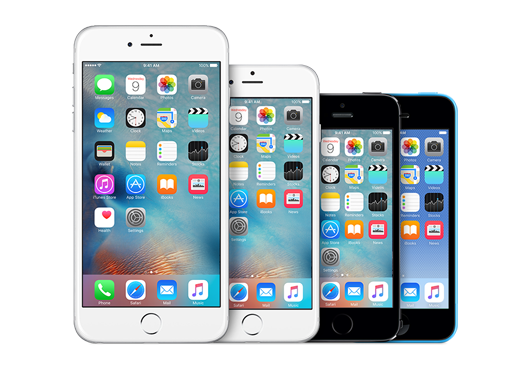
Here are some of our favorite iPhone apps that’ll help you make the most of your shiny new iPhone.
Camera+

Camera+ is the best third-party camera app for the iPhone. It comes with an intuitive interface, photo filters, horizontal leveler and provides advanced composition controls that allow you to adjust almost everything from exposure to focus, photo filters.

Download link – $2.99

Tweetbot

Tweetbot is the best iOS Twitter client out there, with features like muting, timeline sync, day/night themes, multiple accounts and more. The iPhone version of the app has been updated for iOS 8, and optimized for iPhone 6 and iPhone 6 Plus.

Download link – $2.99

Free alternative:

Twitter’s Official app – Download link

Best Email app: Dispatch

If you’re a disciple of Merlin Mann and are constantly gunning for Inbox Zero, you’ll find Dispatch to be the perfect tool to reach that goal. Swipe left on a message to reveal actions, or swipe further to quickly archive that message and be on your way towards clearing your inbox for good. When it’s time to reply to a message, Dispatch automatically fills in a salutation and hides the To/From fields so you get right down to typing out your reply. If you want to speed things up even more, you can quickly insert searchable text snippets to finish replying in a jiffy.

For those who use multiple apps in conjunction with their email, Dispatch has a huge list of actions to triage your messages with, including creating events, reminders and text messages with default iOS apps, adding to-dos to a range of third-party apps like Clear and Things, sending content to Evernote, opening links in Chrome or Dolphin, saving articles for later with Pocket, Instapaper and more, and even viewing locations with Google Maps.

Download link – $4.99

Best Weather app: Dark Sky

The default Weather app is quite great, but if you’re in the US then you should check out Dark Sky. Striking a great balance between information density and readability, Dark Sky puts current temperature and precipitation readouts front and center, and reveals additional data when you tap or swipe. Everything from rain forecasts to humidity and wind speed to updates for the coming week are easy to digest, and never feel overwhelming thanks to clever layouts. With a focus on rain alerts, the app can also send you notifications before it starts to pour.

Dark Sky also has maps for temperature and precipitation, and weather geeks will love the detailed animated globe you can pan and zoom around. but is only available in the US, UK and Ireland for now. We like how the app is great for daily use as well as for harsh conditions when you need more info. It’s ability to predict whether it was going to rain or stop raining in an immediate location and within the next hour is quite magical.

Download link – $3.99


Best Browser app: iCab Mobile

Power users will feel most at home with iCab Mobile: the iOS counterpart of the famed iCab browser for Mac offers flexibility like no other. Customize your toolbar icon and menu loadouts, use drawn and multi-touch gestures, choose from a wide range of browser IDs to test web sites, import/export your browser settings and bookmarks via cloud services like Dropbox and iCloud, select from a range of search engines for auto-suggestions and congifure how you want the browser to handle operations based on how much memory is free on your device.

iCab Mobile also includes a ton of modules to enhance your browsing experience: find all the sites that link to your active page, share to major social networks and read-later services, examine pages with Firebug Lite, save pages to PDF, query Google Cache to find older versions of a page and even autoscroll your active page for hands-free reading.

iCab Mobile also offers fine-grained control over every aspect of how it works, including whether the address bar should clear itself when activated and how links from the same domain of an active page should open (in a new tab or in the same tab). These are precisely the kind of features that fans of desktop browsers will appreciate, and iCab Mobile brings these in spades — making this browser totally worth its asking price of $2.

Download link – $1.99

1Password

Manage your passwords and other sensitive information like bank account info, credit card numbers etc. securely with 1Password.

Download link – In-app purchase for $5.99

Clear

Clear is a simple to-do app and reminder app, which comes with an intuitive gesture based user interface, iCloud sync and is made for iPhone and iPad.

Download link – $2.99

Best Calendar app: Fantastical

Fantastical is an awesome alternative to the stock Calendar app for the iPhone with support for natural language text entry (“Meet Bob for dinner tomorrow at 8”), reminders, background updates and more. It also includes a gorgeous Notification Center widget for iOS 8.

Download link – $3.99

Unread

After being a fan of Reeder for several years, Unread is my new favorite RSS reader for the iPhone and iPad. It comes with a clean interface with support for a variety of RSS services like Feedly, Feedbin, Feed Wrangler, Newsblur and Fever. It also offers themes to make it easy , and the ability to share or export your content to a number of sharing services.

➤ Download link – Free with $4.99 in-app purchase to read unlimited articles and unlock additional themes.

Best To-do List app: Todoist

Todoist is my favorite task management app. Besides the ability to create tasks, set priorities and add labels, you can also search through tasks, attach notes and files, and even receive location-based reminders so you complete to-dos when you’re in the area (perfect for picking up your dry cleaning). The app even handles basic language parsing when setting due dates (terms like ‘tomorrow’ and ‘every day’ are understood correctly).

It’s worth noting that while the app is free, many of its advanced features are only available with a Premium plan ($29/year).

Download link

Best third-party keyboard: SwiftKey

iOS 8 allows you to add your own third-party keyboard. Our favorite third-party keyboard is SwiftKey. It is easily the most powerful and versatile keyboard, and is recommended for users who want to try several new features in a single keyboard.

Download link – Free

Drafts

Drafts is an interesting take on note taking. I have started using it only recently, and loving it. It is a great way to capture a thought, idea or any kind of note, and the iOS 8 Share Extension now makes it even more easier to capture text from the web and other apps.  You can share text to any app or service, or use advanced features such as custom actions to send email, messages, create reminders & events, post to Twitter, Facebook and so much more with a single tap.

➤ Download link – $4.99

Shazam

Shazam has been an all-time favorite ever since it was released in the App Store in 2008. Even though Apple has integrated the song recognition feature in iOS 8, I still think it is worth downloading the standalone app, as it gives you tons of features such as the ability to listen to the song you’ve tagged on your favorite music streaming app such as Spotify, Rdio etc or watch the video on YouTube.

Download link

Shazam – Free

Shazam Encore – $6.99

Sygic

While there are quite a few good navigation apps like Apple’s Maps app, Google Maps, Waze etc. that are free, we prefer the Sygic GPS Navigation app, which comes with offline maps from TomTom so you don’t need an internet connection like the navigation apps mentioned earlier once you’ve downloaded them.

The offline maps are free, but you have to buy one of the packages available via in-app purchase for features such as 3D maps, turn-by-turn navigation, dynamic lane guidance, gives warnings when you exceed speed limits, warning for fixed speedcams in some countries, police trap warnings from other users and more. It also offers premium features such as HUD – Heads up display(at night navigation info is projected directly into the line of sight on the dashboard), BlackBox (a dash-cam that records while you’re navigating), Cockpit (measures the performance of your car). It does not have the best user interface, but the rich feature list compensates for it.

Download link – Free with in-app purchases

Free Alternative:

Google Maps – Download link

Nuzzel

Nuzzel is my favorite news app currently. It connects to your Twitter account, and tells you which are most shared links in your timeline by the people you follow. It’s a lot easier than scrolling through your timeline, and a great way to discover new content, especially if you’re following people from different walks of life.

➤ Download link – Free

Hours

Hours is a simple and intuitive productivity app. It is meant to help you stay productive, which it does by helping you track the time it takes for a task with a single tap. You can see how you spent the time in a day with the visual timeline. The Today widget in iOS 8 makes it even more easier to start/stop/switch timers with a single tap even from the lock screen.

➤ Download link – $4.99

Workflow

Workflow is a clever new app that was released last month that makes it easy to automate processes. You can do things like create a gif, make pdfs from Safari, order a pizza, order an Uber to go home, get directions to your favorite coffee shop with a single tap using actions that are included in the app, or create your own custom action.

Download link – $2.99

Deliveries

Deliveries helps you keep track of packages that you’ve ordered online. It supports UPS, Fedex, US Postal Service, DHL, TNT, Canada Post, City Link, Royal Mail and many more. It can also track orders on Apple and Amazon. With iOS 8, you can check the status of your order right in the Notification Center thanks to the Today widget.

Download link – $2.99

Launch Center Pro

Launch Center Pro is an app that can really boost your productivity on your iPhone. It makes clever use of URL schemes and x-callback-URL to create shortcuts to launch actions, not just apps. You can frequently perform on your iPhone such as calling or messaging a regular contact, jump straight to the camera in Instagram, message a gif to a friend etc.

Download link – $0.99

Camcard

Camcard is my favorite app to scan business cards, and a must-have app if you get a lot of business cards. It lets you scan and organize business cards so that you don’t need to enter the details manually. It scanning technology is also quite accurate, and support 16 languages.

➤ Download link – $0.99

Scanner Pro

Scanner Pro turns your iPhone into a scanner. It is my favorite app for scanning a document on the go, and keeping a digital version of it. It automatically detects the edge of the paper, then rotates and straightens the image if require. You can save the scanned document as a PDF, and share it by email, take a print out, upload it to cloud storage like Dropbox, Evernote, Google Drive etc. You can also password protect the scanned document.

It also uploads the documents to iCloud, so you can access the documents from any iOS device.

➤ Download link – $0.99

Synchronize

It can be a nightmare if work with people in different timezones. I use Synchronize, which makes time zone conversions a non-issue. It not only tells you what time it is in different timezone, but you can also use the slider to find out what time it will be in multiple time zones, which can be useful while setting an appointment. Unfortunately, it hasn’t been updated for iPhone 6 and iPhone 6 Plus.

Download – Free

Google Authenticator

It is important to enable Google Authenticator turns your iPhone into a security token for your account with two-step verification. After you’ve verified your account, Google Authenticator generates the unique passcode for two-step verification. Unfortunately, it is not yet optimized for iPhone 6 or iPhone 6 Plus.

Download link – Free

FlightTrack

If you’re frequent traveller then FlightTrack is a must-have. It’s a great way to monitor your flights while on the go. It is integrated with Tripdeck, so you don’t even have to enter your flight number, just forward your itinerary confirmation emails to Tripdeck, and it will pull the necessary information to provide the flight details in the app. It also provides real-time departure and arrival information, gives notifications with flight updates, and also gives the gate number when it is available.

➤ Download link – $0.99

RedLaser

RedLaser is a great shopping companion app. Scan the bar code of the product you want to buy, and it automatically retrieves product information, and tells you if there’s a better deal for the product online or a different store nearby. When in a store, it also gives you useful information such as the store map, deals, coupons and more.

➤ Download link – Free

Overcast

Overcast is my favorite podcast app. The Smart Speed feature that shortens silences is quite cool and innovative, and ensures that you don’t waste time unnecessarily. The Voice Boast feature normalizes volume across all shows using a combination of dynamic compression and equalization. You can also create custom playlists, and sort them based on your priority, so you can listen to your favorite podcast first. You can also It also helps you find new podcasts, and get recommendations from people you follow.

Download link – Free (features like Smart Speed and Voice Boast can be unlocked using $4.99 in-app purchase)

TeeVee

TeeVee is a great app to keep track of your favorite TV shows, so you know when the next episode of your favorite show will air. It can remind you of the start times using push notifications, or with the Today widget.

➤ Download link – $2.99

PCalc

Until iOS 8 was released, the stock Calculator app was sufficient. It did the job just fine. But if you’re someone who always needs a calculator at your fingertips, then you should get PCalc, which now comes with a great Today Widget, so you can do most of your calculations without having to open the app, and even from the Lock screen without unlocking your iPhone.

➤ Download link – $6.99

Notifyr

When you’re on your Mac, it’s much more convenient to see notifications on the larger screen, rather than picking up your iPhone each time you receive a new notification. Notifyr lets you forward iOS notifications to your Mac, with a companion OS X app. Notifyr forwards iOS notifications from all apps to your Mac using Bluetooth Low Energy, so you can use the app without draining your battery.

➤ Download link – $4.99

TuneIn Radio

If you like listening to radio, then you should check out TuneIn Radio. It not only lets you listen to your local radio stations, but you can listen to radio stations in other cities as well. You can stream from over 100,000 radio stations around the world.

Download link – Free (with in-all purchase)

That’s a wrap for now! I have not included apps for services like Facebook, LinkedIn, Dropbox etc, as you probably already know about them.

While the list includes apps that were released prior to 2014, some really useful and innovative iPhone apps were released in 2014. I can’t wait to see the apps that will be released in 2015, as iOS evolves with new APIs in iOS 9, WatchKit and more.

If you have some suggestions of your own please let us know in comments!


Cool addons for your google drive, try it now!

Google Drive is really cool. While it’s a handy alternative for those who don’t have a word processor or any office suite for that matter, it is an amazing collaborative tool for those that have one to interact, edit and share what they are doing. Further, cloud is clearly the way to go, and Google Drive is an excellent example of this philosophy.

1.MindMeister


Turns any bullet-point list into a mind map, and automatically inserts it into your document. This is a great way to visualise lists and quickly add a graphical overview to your documents.

2.EasyBib

Allows you to easily create a bibliography for your research paper. Automatically cite books, journal articles, and websites just by entering in the titles or URLs. Format citations in MLA, APA, and Chicago style.

3.Mail2Drive

Makes it possible to create a Google Drive file straight from an email message. When you sign up, you receive a unique, secret email address. Any email sent to it automatically gets converted into a Google Drive file.

4.Google Slides

Lets you create and edit your own presentations. Not only does it have everything you need to pull together an awesome presentation, but you’ll never have to hit save again.

5.DriveTunes

Allows you to play mp3 and m4a audio files right from Google Drive. Queue and listen to music in Drive, rather than just previewing it.

6.Maps for Docs

This add-on will insert a Google Map in your open doc. Simply select the entire address text, click ‘Get Location’ menu item, review the Google Map, and click ‘Paste to doc’ button.

7.PandaDoc

Lets you add legally binding electronic signature to Google Docs to close deals faster. Consist of more than 100 free business document templates, fantastic and easy-to-use project management and CRM partner apps.

8.UberConference

Lets you quickly and effortlessly get all the editors and viewers of a document on a conference call so you can be more productive.


Top 8 Data Recovery Tools For Linux

Data recovery is an essential part of computer usage. Data recovery tools come very handy while helping you out with your system files and resources. Data backup and recovery are very important if you’re looking to maintain the sanctity of your files. Because. anything could happen, your hard drive may crash, malware attack may erase your important data, anything! Therefore it’s ideal your data is properly backed. Here are 8 open source tools to recover your data.

1. Knoppix

Knoppix is one of the most poular recovery software available for Linux platform. It comes as bootable CD version with list of GNU/Linux software. Knoppix can auto detect the hardware and optimize the recovery tool by itself. Since it comes as bootable CD, you can use it as Linux demo, educational CD, rescue software or even a platform for commercial software product demos.

2. Trinity Rescue Kit

This is a free live Linux distribution that helps user to recovery and repair operations on Windows PCs. However it can be used as it is on Linux systems also. Trinity Rescue Kit v3.4 and later have user friendly interface with scrollable text menu. Anybody can easily use TRK to perform system maintenance and repair tasks such as password reset, disk cleanup to virus scanning on PC.

3. Avira Rescue System

This open source application can access the computer data of a damaged hard drive. It is possible to repair a damaged system, to rescue data or scan the system for viruses using Avira Rescue System. You can burn the software package on CD/DVD and use it to boot the computer.

4. GParted Live

This is a small Linux distribution designed for x86 based computers. It packs all the features of latest GParted apps. You can create a bootable CD, USB or PXE Server to boot GParted Live. GParted Live supports array of filesystem hence, it can be used to recover the damaged partition.

5. System RescueCd

This is a Linux system rescue disk with number of bootable recovery software. You can easily carry out most admin tasks on computer like creating and editing hard disk partitions, clearing memory cache etc. RescueCd packs number of Linux software, system tools, basic tools etc. It can be booted from CD/DVD or USB stick. RescueCd kernel supports all major file systems for Linux.

6. Ubuntu Rescue Remix

This is a robust yet lean system for recovery software, data recovery and forensics. Ubuntu Rescue Remix uses terminal commands UI for operations. This is the best bet for systems with low hardware configuration. The command line environment features all the functions of powerful data recovery software. It has a unique tool called ddrutility, which identifies files affected by unrecoverable blocks on disk image.

7. F-Secure Rescue CD

This data recovery tool is based on Knnopix derivative of Linux OS, which lets user run the software completely from a CD and check integrity of installed applications. It is possible to perform advance data repair and recovery using F-Secure Rescue CD. This tool is capable of recovering the system from malware infections. However, this tool cannot scan the encrypted hard drive.

8. Ddrescue

This data recovery tool from GPU comes very handy in copying data from one file or block device to another. Ddrescue can detect the memory errors, dead blocks, log file as well as rescue the good part of it. It operates automatically. If read error occurs, it automatically rescues the data. You can always terminate any automatically triggered operation in Ddrescue. The basic operation of Ddrescue remains fully automatic.


If you have some suggestions of your own please let us know in comments!