Pirate Bay is going to be back with code “I’ll Be Back”

Pirate Bay countdown

While everyone knows it’s often used for shady purposes, there’s nothing inherently illegal about the act of torrenting itself. So when BitTorrent juggernaut The Pirate Bay was fully taken down by Swedish police last December after over a decade of occasionally interrupted service, you didn’t necessarily know who to root for. But it looks like the battle is far from over as an intrepid Redditor has finally cracked the mysterious code hinting at The Pirate Bay’s return, Terminator-style.

The code first appeared when the site itself returned two weeks after the raid. Instead of the plethora of torrents users were used to, all they found was a waving pirate flag and an “aes.png” image file containing an encrypted message. More hints appeared and users became would-be detectives obsessed with solving the case, perhaps because the sudden lack of terabytes of free media left them with a lot more free time.


Eventually, super sleuth Redditor “dakfy2000” discovered that the page’s source code contained strings of irrelevant HTML tags and made the connection between the “aes.png” image file clue and Advanced Encryption Standard (AES) technology. With this new knowledge, he decrypted half of the message with password hashing algorithms, took a much needed sleep break, and returned fresh to finish the job. “I love a challenge and that hit the spot,” he said in an interview with TorrentFreak. And what was the result of all his hard work? A link to “The Arnold Schwarzenegger ‘I’ll Be Back’ Supercut” video on YouTube. Watch.

As it turns out, not all fans were satisfied that the solution was merely a funny little teaser for future news. Some had speculated that the answer might involve a secret backup of Pirate Bay files hidden beneath the deep web, or maybe the site’s new strategy to spread and store files locally using its PirateBrowser P2P network making it much harder for outside forces to crack down on copyright infringement.

However, we may now know exactly when more news is on the way. After the mystery was solved, The Pirate Bay homepage added a timer counting down to February 1, so whatever the next step for the site is, we should hear about it next month. The Pirate Bay has bounced back from takedowns in the past, and it looks like this time will be no different. If they can make a riddle that stumped its diehard users for this long, they can probably stay a few steps ahead of law enforcement.


If you have some suggestions of your own please let us know in comments!


13 need to know Facebook tips and tricks

Everyone knows Facebook, but not everyone knows Facebook very well. You could spend your days on the world’s biggest social network liking and sharing, or you could learn a few tricks that will bring you closer to being a power user.
These 13 Facebook tricks will help you take charge of your Facebook activity. Use them wisely! If you have Facebook secrets of your own to share – do tell and leave us a comment!

1. Create & Manage Friends’ Lists

Create & Manage Friends’ Lists

Organize your friends in lists and control who can view what’s on your profile. Go to Facebook Lists Page and see the default lists prepared for you. Click on “Create List” to make your own.


2. Schedule Posts

Schedule Posts

Want to make sure your posts go live even when you’re offline? Use Facebook’s scheduling tool and set a publishing time for your posts. Click on the clock icon in the status line field and take it from there.


3. Create a Secret Group

Create a Secret Group


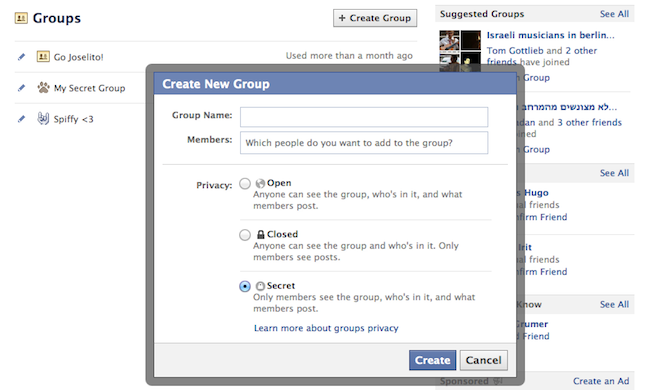
Make your own private space on Facebook and invite only people that you want! Go to Facebook Groups Page and click “Create Group”, then choose the “Secret” option.


4. Download Entire Photo Albums

Download Entire Photo Albums

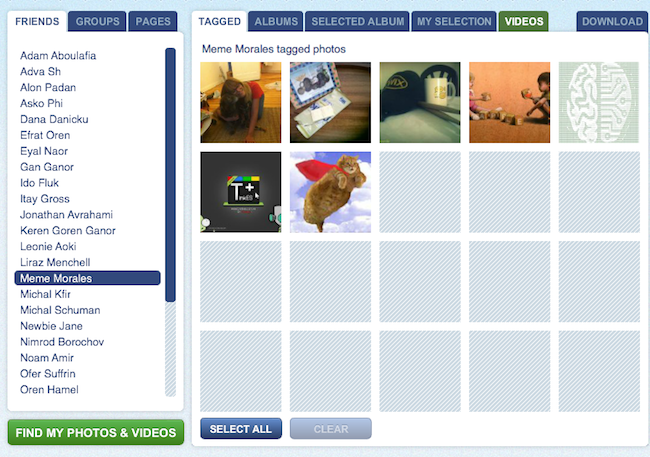
Want to make sure your Facebook photos are safe? Save them to your computer! Use Pick’n’Zip to log in with your Facebook account and choose the albums you’d like to download.


5. Choose Who Can See You on Facebook’s Online Chat 

Who can see you on Facebook chat

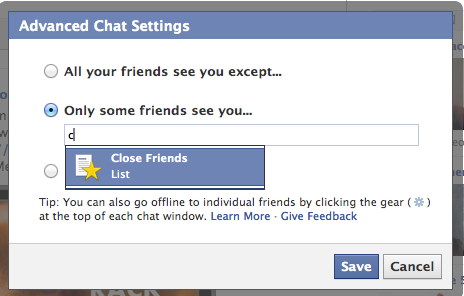
No need to apologize. We all have some people on our files that we don’t always feel like talking to. All you have to do is the click the ‘Settings’ icon at the bottom of the chat section, go to “Advanced Settings” and make your choice.


6. Post Upside-Down Texts

Write upside down Facebook posts

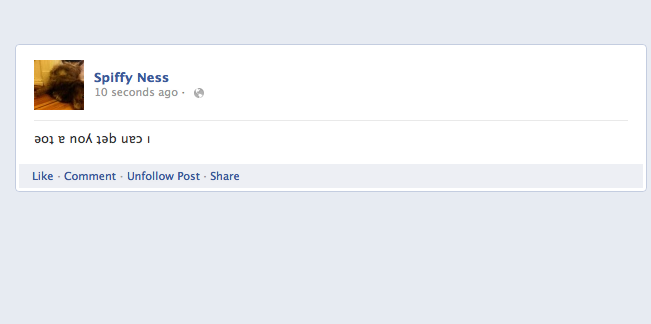
Drive your pals a little nuts with FlipText, a fun Facebook trick that automatically turns everything you write upside down. Just a simple copy/paste and your post is flipping.


7. Language/Geo-Target Fan Page Posts

Did you know you can make your posts visible only to people in your city? Or only to people in a certain country who speak a certain language? When you write a post, change the “Public” status according to your wishes and target your specific group of interest.


8. Edit Your Published Comments

Edit Your Published Comments


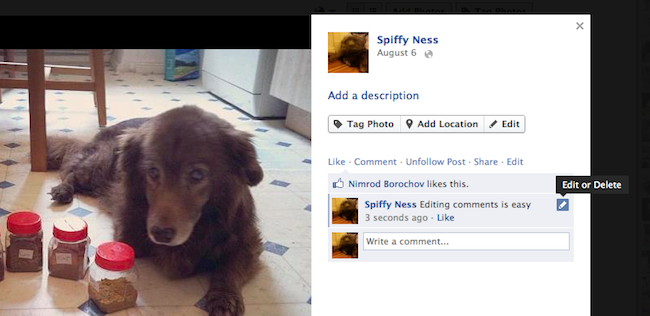
Typos? Misunderstandings? Freudian slips? Thankfully, Facebook lets users edit their comments quite easily. All you need to do is roll over the comment, click on the pencil icon and edit away!


9. Have Some Laughs with Pirate English

Pirate English

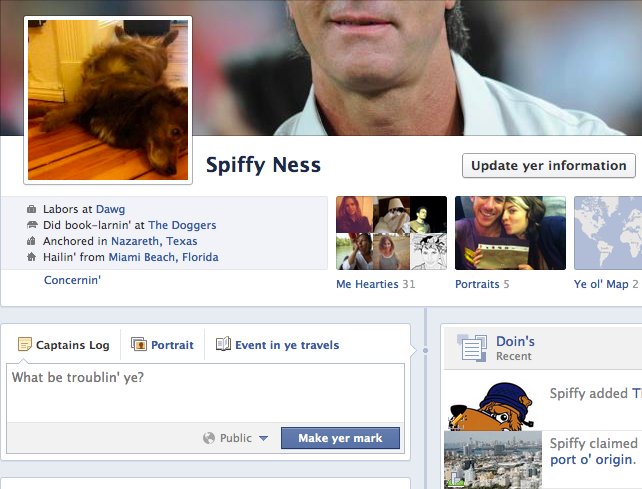
Normal languages aren’t nearly as fun as pirate talk! You can change the entire Facebook terminology to pirate English by going to your Account Settings and changing the language choice. Forget about Likes, they’re called “Arrr, This be pleasin’ to me eye” now.


10. Discover Messages that Facebook Hides

Find hidden messages

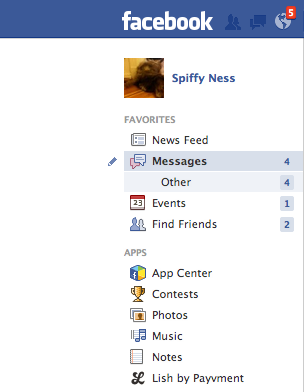
Not many people know that Facebook messages get split into two folders: Messages and Other. If you haven’t looked into the Other folder before, you probably missed some messages you didn’t want to miss.


11. Turning Off Notifications from Apps, Users, Etc.

Have too much spam coming in from an event, a group or a page? You can shut notifications off by clicking on the notifications icon (the globe), rolling over the nuisance with your mouse and clicking X to delete. Faceboook will then ask you if you want to turn off notifications from that user permanently.


12. Customize Your “Posted Via” Line

Customize Your “Posted Via” Line

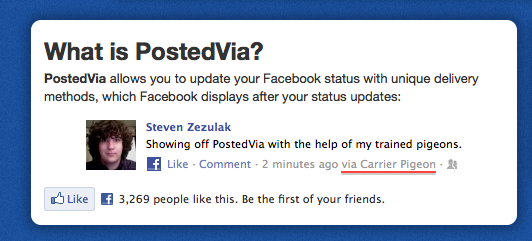
Another fun trick you can do to spice up your Facebook posts is to add a customized “Posted Via” line with this awesome Facebook tool. You can publish your posts from Air Force One, from a banana phone or via Jedi mind control, to name just a few.

13. Delete Your Facebook Account
If the day comes when you decide to leave the blue planet and go out into the real world, this link will be the red pill that takes you there. Hope you enjoyed the ride.
red pill vs blue pill

reality


Another Torrent Site Has Resurrected the Pirate Bay

Another Torrent Site Has Resurrected the Pirate Bay


The popular torrent site Isohunt just launched a new fully functional website—oldpiratebay.org— that lets you search through the Pirate Bay archives. This is a little bit silly, since Pirate Bay’s archives have been public for years. But it’s also a little bit useful if you’ve been having Pirate Bay withdrawal since the site got raided by Swedish police.

The funny thing is that the new site was built and hosted by Isohunt, a potential Pirate Bay competitor. The Old Pirate Bay is a useful site, too! Instead of just mirroring the original, the Old Pirate Bay has a functional search engine, working magnet links, and all of the old pages. To boot, there’s even new content being uploaded all the time.

It’s hard to guess what the company’s intentions are for the Old Pirate Bay